AJAX: A Beginner's Guide To Asynchronous JavaScript
Learn what AJAX is, how it works, and why it matters with examples, code samples, and beginner-friendly explanations.
By Jean Emmanuel Cadet • 20 min read
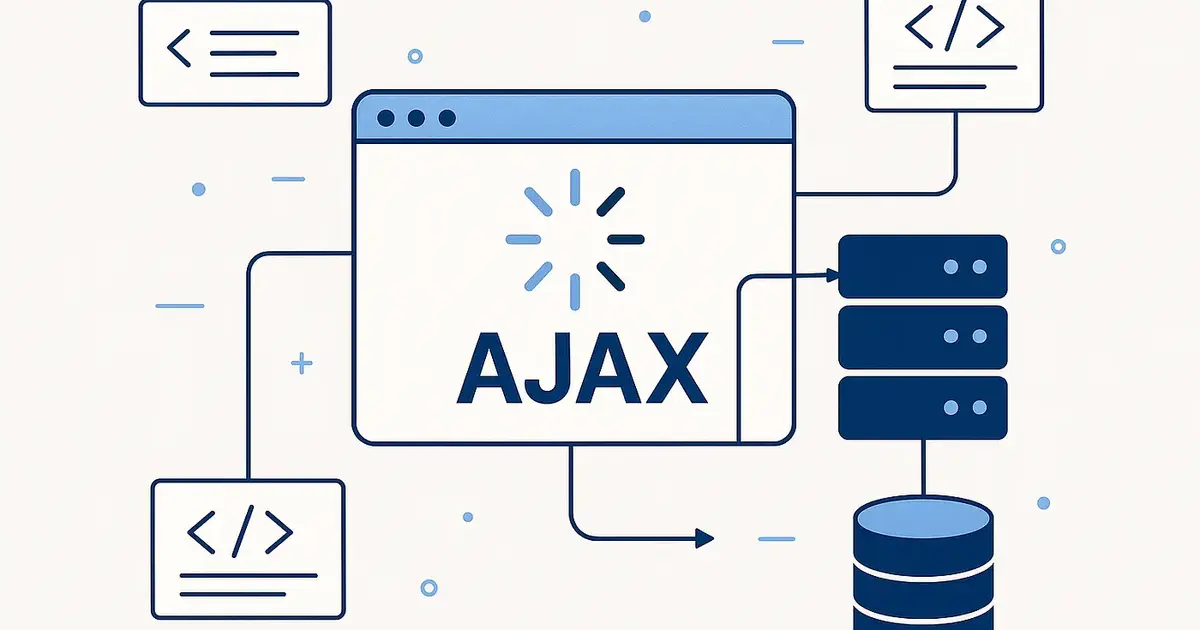
You're scrolling through your Twitter (X) feed. New tweets pop up without the page ever refreshing. You type a word in Google's search bar and suggestions appear instantly, like magic. You add a product to your Amazon cart, and the little cart icon updates in the top corner without sending you to a new page.
None of this is magic. It's AJAX, and once you understand how it works, you'll never look at websites the same way again.
If you're new to web development or just curious about what's happening behind the scenes of your favorite websites, this tutorial is for you. We'll break down AJAX from the ground up, no prior experience required. By the end, you'll understand not just what AJAX is, but why it exists, how it works, and when to use it in your own projects.
Let's dive in.
What Is AJAX?
AJAX stands for Asynchronous JavaScript and XML. It's a technique, not a programming language, not a library, not a framework, that allows web pages to communicate with a server and update their content without reloading the entire page.
In simpler terms: AJAX lets parts of a webpage update quietly in the background while you keep using the rest of the page as normal.
Quick definition: AJAX is a set of web development techniques that use JavaScript to send and receive data from a server behind the scenes, updating only the parts of the page that need to change.
The name has "XML" in it, but don't let that confuse you; most modern AJAX-based applications use JSON (JavaScript Object Notation) to transfer data, not XML. The name is historical. JSON is lighter, easier to read, and plays nicer with JavaScript.
Why AJAX Was Revolutionary
To appreciate how big a deal AJAX was, you need to understand what the web was like before it.
In the early days of the internet, every interaction you had with a website required a full page reload. Click a link? Full reload. Submit a form? Full reload. Filter a list? Full reload.
This wasn't just slow, it was jarring. The entire screen would go blank for a second, the browser would flash, and then the new page would appear. It felt clunky and disconnected, more like flipping through pages of a book than using a real application.
Then, around 2004–2005, a few pioneering web applications started doing something different. Gmail lets you read and compose emails without the page ever reloading. Google Maps lets you drag a map around and see new tiles load in. Google Autocomplete suggested search terms as you typed.
These experiences felt alive in a way that other websites didn't. They felt like desktop applications, not web pages. The secret ingredient? AJAX.
In 2005, developer Jesse James Garrett coined the term "AJAX" in a famous essay, and the web development world hasn't been the same since.
How Websites Worked Before AJAX
Let's walk through the old way of doing things to make the difference crystal clear.
Imagine you're on a recipe website. You want to filter recipes by "vegetarian." Here's what would happen without AJAX:
1. You click the "Vegetarian" filter button
2. Your browser sends a request to the server
3. The server processes the request
4. The server sends back a BRAND NEW HTML page
5. Your browser destroys the current page completely
6. Your browser renders the entire new page from scratch
7. The page flashes, scrolls back to the top, and you start over
Even if 95% of the page, the header, footer, navigation, and sidebar, were identical to what you were just looking at, the browser had to throw it all away and rebuild it. Wasteful. Slow. Frustrating.
With AJAX, the same interaction looks like this:
1. You click the "Vegetarian" filter button
2. JavaScript sends a small, quiet request to the server in the background
3. The server responds with just the new recipe data
4. JavaScript updates only the recipe list section
5. Everything else on the page stays exactly as it was
The page doesn't flash. Your scroll position doesn't reset. Your other tabs keep working. It just... updates. Smoothly.
How AJAX Works Step by Step
Let's get a little more technical here and trace exactly what happens during an AJAX interaction.
┌─────────────────────────────────────────┐
│              USER'S BROWSER             │
│                                         │
│  1. User triggers an event              │
│     (click, type, scroll...)            │
│              │                          │
│  2. JavaScript creates an AJAX request  │
│              │                          │
│  3. Request is sent to the server       │
│     ──────────────────────────►         │
└─────────────────────────────────────────┘
                                 │
                    ┌────────────▼─────────────┐
                    │         SERVER           │
                    │                          │
                    │  4. Server receives      │
                    │     the request          │
                    │                          │
                    │  5. Server processes it  │
                    │     (queries database,   │
                    │      applies logic...)   │
                    │                          │
                    │  6. Server sends back    │
                    │     only the needed data │
                    │     (usually as JSON)    │
                    └────────────┬─────────────┘
                                 │
┌─────────────────────────────────────────┐
│              USER'S BROWSER             │
│                                         │
│     ◄──────────────────────────         │
│  7. JavaScript receives the response    │
│              │                          │
│  8. JavaScript updates the specific     │
│     part of the DOM that needs to       │
│     change (not the whole page)         │
│                                         │
│  9. User sees the updated content       │
│     (no page reload!)                   │
└─────────────────────────────────────────┘
Throughout steps 1–9, the rest of the page remains fully interactive. The user can keep scrolling, clicking, and typing. AJAX does its work silently in the background.
AJAX Explained with the Catch Game Analogy
Here's an analogy that makes this click for a lot of beginners.
Imagine you and a friend are playing catch. In a normal game, every time you want the ball back, you freeze in place, your friend walks over, hands you the ball, and then you both go back to your starting positions before continuing. Every. Single. Time.
That's the old web. Fully interactive pause, every request stops everything.
Now imagine a special version of catch.
In this version, you're both wearing wireless earpieces, and you have a secret relay system. When you need something from your friend, say, the score of a game they're tracking, you whisper into your earpiece. Your friend quietly checks their phone, finds the answer, and whispers it back. Meanwhile, you're still moving around the field, chatting with other players, completely free to do other things. When the answer comes back in your ear, you smoothly incorporate it into the conversation without anyone else even noticing you asked.
That's AJAX.
- The whisper into your earpiece = the AJAX request sent by JavaScript
- Your friend checking their phone = the server processing the request
- The answer whispered back = the server's response (usually JSON data)
- You smoothly incorporate the answer = JavaScript, updating only the relevant part of the page
- The fact that you never stopped moving = the asynchronous nature of AJAX
The key word there is asynchronous. Let's unpack that.
What Does "Asynchronous" Mean?
"Asynchronous" is one of those words that sounds intimidating, but the concept is simple.
Synchronous = things happen one at a time, in sequence. You do A, wait for A to finish, then do B, wait for B to finish, then do C.
Asynchronous = you start A, then immediately start doing other things. When A finishes, it lets you know, and you handle the result, without having stopped what you were doing.
Think about making a phone call vs. sending a text message.
A phone call is synchronous; you stop what you're doing, wait for the other person to answer, have the conversation, and only resume your other activities after you hang up.
A text message is asynchronous; you send it, put your phone in your pocket, and go about your day. When the reply comes, it pings you. You glance at it and respond when you're ready. You were never blocked.
AJAX is the text message. It lets your web page keep running while waiting for a server response, then handles the response when it arrives.
Real-World Examples of AJAX
AJAX is everywhere once you know what to look for. Here are some real-world examples you probably use every day:
1. Live Search Suggestions
When you type "how to learn" into Google, search suggestions appear before you even press Enter. Each keystroke triggers an AJAX request to Google's servers, which return suggestions, which JavaScript instantly displays below the search bar.
2. Social Media Notifications
Is that notification bell on Facebook or Instagram updating without you refreshing the page? AJAX (or its modern descendants) polls the server for new activity, then updates just the badge count.
3. Infinite Scroll
Platforms like Instagram, TikTok, and Pinterest load more content as you scroll toward the bottom of the page. No "next page" button, no reload. AJAX fetches the next batch of posts and appends them to the bottom of the list.
4. Chat Applications
When you're chatting in Slack or WhatsApp Web, new messages appear in real time. AJAX (or WebSockets) keeps a constant communication channel between your browser and the server, pushing new messages as they arrive.
5. Shopping Carts
Adding an item to your Amazon cart updates the cart icon in the header without navigating you away from the product page. AJAX sent a request to add the item, and JavaScript updated the cart count when the server confirmed success.
6. Comment Systems
Posting a comment on a blog post and seeing it appear instantly below without a page reload? AJAX submitted the comment and added it to the DOM when the server returned a success response.
7. "Load More" Blog Posts
Many blogs have a "Load More" button at the bottom of the article list. Clicking it fetches the next batch of posts from the server and appends them to the page, a pattern you might recognize if you've ever built a blog with Ruby on Rails, where pagination and dynamic content loading are common requirements.
AJAX Request Lifecycle
Let's go even deeper and look at what's happening at a technical level during an AJAX request.
EVENT           WHAT HAPPENS
─────────────────────────────────────────────────────────
readyState: 0   Request created but not yet opened
readyState: 1   Connection established (open() called)
readyState: 2   Request sent to server (send() called)
readyState: 3   Response being received (headers arrived)
readyState: 4   Request complete — response fully received

HTTP Status:
  200 OK        → Success! Process the response data
  404 Not Found → The endpoint doesn't exist
  500 Server Error → Something went wrong on the server side
  401 Unauthorized → Authentication required
The readyState is a property of the XMLHttpRequest object (the original JavaScript tool for making AJAX requests). Each value from 0 to 4 represents a phase of the request lifecycle. Your JavaScript code typically listens for readyState === 4 combined with a status === 200 before processing the response data.
AJAX vs Traditional Page Reloads
Let's put the two approaches side by side to see the difference clearly.
Feature | Traditional Page Reload | AJAX Request |
|---|---|---|
What gets sent back | Full HTML page | Only the needed data (usually JSON) |
Page behavior | Entire page reloads and repaints | Only the targeted element updates |
Scroll position | Resets to top | Stays where it was |
User experience | Jarring, interrupted | Smooth, continuous |
Network usage | High (entire page) | Low (just the data) |
Speed | Slower | Faster |
Browser history | New history entry added | No automatic history entry |
Complexity | Simple (built-in browser behavior) | Requires JavaScript |
AJAX wins on user experience and performance. Traditional reloads win on simplicity. Modern applications use AJAX for dynamic interactions and traditional navigation for distinct page transitions.
AJAX vs Fetch API
If you search for AJAX examples today, you'll find two different tools being used: the old XMLHttpRequest object and the newer Fetch API. Here's how they compare:
XMLHttpRequest | Fetch API | |
|---|---|---|
Age | Introduced ~1999 | Introduced 2015 |
Syntax | Verbose, callback-based | Cleaner, Promise-based |
Error handling | Manual | Built-in with |
Browser support | Universal | All modern browsers |
Learning curve | Steeper | Gentler |
The Fetch API is the modern standard. Most new code you write (or read) will use fetch(). However, understanding XMLHttpRequest is still valuable because you'll encounter it in older codebases, and it helps you understand the underlying mechanics of AJAX before the abstraction layers are added.
AJAX vs Hotwire
If you're working in Ruby on Rails, you may have heard of Hotwire, a framework that lets you build dynamic, AJAX-like interactions without writing JavaScript manually.
Hotwire (specifically its Turbo library) intercepts link clicks and form submissions, fetches new HTML from the server, and swaps in only the parts that changed, giving you AJAX-like behavior using mostly HTML and a little Ruby on the server side.
Here's a quick comparison:
AJAX | Hotwire (Turbo) | |
|---|---|---|
Language | JavaScript-heavy | Primarily HTML + Ruby |
Server response | Typically JSON | Typically HTML fragments |
Complexity | Higher (more JS needed) | Lower (convention-driven) |
Control | Maximum | Less granular |
Best for | Complex SPAs, custom interactions | Rails apps, HTML-first workflows |
If you're building Rails apps and weighing your options, this deep-dive on Hotwire vs React covers the tradeoffs in much more detail and will help you make the right call for your project.
Benefits of AJAX
Here's why AJAX became such a foundational technique in web development:
1. Better User Experience: Pages feel faster and more responsive. Users aren't staring at a blank screen while the browser reloads. Interactions feel native, almost like using a desktop app.
2. Reduced Server Load: Instead of re-rendering an entire HTML page on every interaction, the server only needs to return small chunks of data. Less data transferred means less server work.
3. Faster Performance: Smaller responses mean faster round-trip times. Your JavaScript updates the DOM surgically, rather than throwing away and rebuilding the entire page.
4. Real-Time Capabilities: AJAX enables real-time features like live notifications, chat, live dashboards, and collaborative editing, things that would be impossible with traditional page reloads.
5. Separation of Concerns: With AJAX, your frontend (what the user sees) can be decoupled from your backend (where the data lives). The server just sends data; the browser decides how to display it.
Drawbacks of AJAX
AJAX isn't a silver bullet. There are real tradeoffs to consider:
1. SEO Challenges: Search engines historically struggled to crawl content that's loaded dynamically via JavaScript. If your page loads blog posts via AJAX, Google might not index them. (Modern tools like Next.js server-side rendering help work around this, but it adds complexity.)
2. Browser History and Bookmarking: AJAX updates don't automatically create browser history entries. The back button might not behave as users expect. You need to manage browser history manually using the History API.
3. JavaScript Dependency: If a user has JavaScript disabled (rare but possible) or if the JS fails to load, AJAX-powered features break completely.
4. Complexity: Managing asynchronous state, what happens if two requests are in-flight simultaneously? What if the user navigates away before a response arrives? This adds complexity to your codebase.
5. Debugging Can Be Tricky: Asynchronous code is harder to trace than synchronous code. You'll need to get comfortable with the browser DevTools' Network tab to debug AJAX requests effectively.
Practical JavaScript AJAX Example
Let's see AJAX in action with actual code. We'll write two versions, first using the classic XMLHttpRequest, then using the modern Fetch API.
Using XMLHttpRequest (Classic AJAX)
// 1. Create the request object
const xhr = new XMLHttpRequest();

// 2. Configure the request
// Parameters: HTTP method, URL, async (true = asynchronous)
xhr.open('GET', 'https://jsonplaceholder.typicode.com/posts/1', true);

// 3. Define what happens when the response arrives
xhr.onreadystatechange = function () {
  // readyState 4 means the request is complete
  // status 200 means success
  if (xhr.readyState === 4 && xhr.status === 200) {
    // Parse the JSON response string into a JavaScript object
    const data = JSON.parse(xhr.responseText);

    // Update only the relevant part of the DOM
    document.getElementById('post-title').textContent = data.title;
    document.getElementById('post-body').textContent = data.body;
  }
};

// 4. Send the request
xhr.send();
What this code does:
- Creates a new
XMLHttpRequestobject, the original AJAX tool built into every browser - Opens a
GETrequest to a public test API - Defines a callback function that runs every time the request state changes
- When the response is fully received and successful, it parses the JSON and updates two elements on the page
- Sends the request off to the server
Notice that the page never reloads. While the browser waits for the server to respond, any other JavaScript on the page keeps running normally.
Using the Fetch API (Modern AJAX)
// The modern, cleaner way to make AJAX requests
fetch('https://jsonplaceholder.typicode.com/posts/1')
  .then(function (response) {
    // First, check if the response was successful
    if (!response.ok) {
      throw new Error('Network response was not ok: ' + response.status);
    }
    // Parse the JSON body
    return response.json();
  })
  .then(function (data) {
    // Now we have the JavaScript object — update the DOM
    document.getElementById('post-title').textContent = data.title;
    document.getElementById('post-body').textContent = data.body;
  })
  .catch(function (error) {
    // Handle any errors (network failure, bad response, etc.)
    console.error('AJAX request failed:', error);
    document.getElementById('error-message').textContent =
      'Failed to load content. Please try again.';
  });
The same behavior, but cleaner. fetch() returns a Promise, a JavaScript object that represents a future value. The .then() chains run in sequence when the promise resolves and handles any errors that occur along the way.
Using Async/Await (Even Cleaner)
If you want the cleanest possible syntax, modern JavaScript lets you write asynchronous code that looks almost synchronous:
async function loadPost() {
  try {
    const response = await fetch('https://jsonplaceholder.typicode.com/posts/1');

    if (!response.ok) {
      throw new Error('Request failed with status: ' + response.status);
    }

    const data = await response.json();

    document.getElementById('post-title').textContent = data.title;
    document.getElementById('post-body').textContent = data.body;
  } catch (error) {
    console.error('Something went wrong:', error);
  }
}

// Call the function
loadPost();
async/await is just syntactic sugar over Promises; it makes asynchronous code easier to read and reason about. The await keyword pauses execution inside the function until the Promise resolves, without blocking the rest of the page.
Why JSON Won Out Over XML
The "X" in AJAX stands for XML, but modern AJAX almost exclusively uses JSON. Why?
<!-- The same data in XML (verbose, hard to read) -->
<post>
  <id>1</id>
  <title>My First Post</title>
  <body>This is the body of the post.</body>
</post>
// The same data in JSON (clean, compact, JavaScript-native)
{
  "id": 1,
  "title": "My First Post",
  "body": "This is the body of the post."
}
JSON wins because:
- It's native to JavaScript:
JSON.parse()turns a JSON string into a JavaScript object instantly - It's more compact: Less data to transfer, faster responses
- It's easier to read: For humans and machines alike
- It maps directly to JavaScript data structures: Objects, arrays, strings, numbers, and booleans
XML still exists (especially in enterprise systems and SOAP APIs), but for modern web development, JSON is the clear default.
Modern Alternatives to AJAX
AJAX opened the door, but the web kept evolving. Here are the main tools you'll encounter in modern frontend development:
Fetch API
The direct successor to XMLHttpRequest. Cleaner syntax, Promise-based, and built into every modern browser. This is what you should use for simple AJAX requests in vanilla JavaScript today.
Axios
A popular third-party library that wraps the Fetch API with additional conveniences: automatic JSON parsing, request/response interceptors, better error handling, and request cancellation. Widely used in React and Vue applications.
WebSockets
Where AJAX is request-driven (you ask, the server answers), WebSockets are bidirectional; the server can push data to the browser without the browser asking first. Used for real-time features like live chat, multiplayer games, and collaborative editing.
Hotwire / Turbo (Rails)
For Ruby on Rails developers, Hotwire provides AJAX-like behavior through HTML fragments rather than JSON. If you're deciding between Hotwire and a JavaScript-heavy approach for your Rails app, check out this comparison of Hotwire vs React.
GraphQL
A query language for APIs that lets the client specify exactly what data it needs. Often used with the Fetch API or dedicated clients like Apollo. Popular in complex React applications.
Server-Sent Events (SSE)
A one-way channel from server to browser. Great for live feeds and dashboards where you need the server to push updates without the overhead of WebSockets.
AJAX in the Context of a Full Rails Application
If you're learning web development with Ruby on Rails, understanding AJAX becomes especially valuable when you're working on interactive features. Rails has historically made AJAX easy with helpers like remote: true on forms and links, and the modern Rails stack with Hotwire takes this even further.
When you understand how the Model-View-Controller pattern works in Rails, you'll see how AJAX fits naturally into the architecture: the browser requests a controller, the controller queries the model (database), and instead of rendering a full view, it can respond with just JSON data, which your JavaScript then uses to update the view in the browser.
Understanding AJAX also changes how you think about setting up new Rails projects. Whether you're using rails new or rails build, knowing that your app will serve both full HTML pages and JSON responses shapes the decisions you make from day one. If you're not sure which Rails setup command to use when starting, this complete guide to Rails new vs Rails build has you covered.
Key Takeaways
Here's what you should walk away knowing:
- AJAX is a technique: Not a language or library. It uses JavaScript to communicate with a server without reloading the page.
- Asynchronous means non-blocking: The user can keep interacting with the page while the request is in-flight.
- The original tool was
XMLHttpRequest: but most modern code uses theFetch APIor libraries like Axios. - JSON is the standard data format: For AJAX responses today, despite "XML" being in the name.
- AJAX is everywhere: search suggestions, notifications, infinite scroll, shopping carts, chat apps, and more are all powered by it.
- AJAX has tradeoffs: it improves UX but adds JavaScript complexity, can hurt SEO if misused, and requires careful state management.
- Modern alternatives exist: Fetch API, WebSockets, Hotwire, and GraphQL have evolved from AJAX's foundation, each suited to different use cases.
FAQ
1. Is AJAX a programming language?
No. AJAX is a technique or approach that uses existing web technologies, specifically JavaScript and the browser's built-in HTTP capabilities. You don't install AJAX; you use it by writing JavaScript that makes asynchronous HTTP requests.
2. Do I need a library to use AJAX?
No, you don't need any library. The browser's built-in XMLHttpRequest object and Fetch API are all you need. Libraries like Axios just add convenience features on top of these built-ins.
3. Is AJAX still relevant in 2026?
Absolutely. The concept of making asynchronous requests from the browser is more relevant than ever. The term "AJAX" is older, and the tools have evolved (Fetch API, Axios, etc.), but the technique is at the heart of virtually every modern web application.
4. Why does AJAX sometimes break the browser's back button?
Because AJAX updates happen without creating a new URL or browser history entry, the back button doesn't know a change occurred. If you need back-button support, you need to manage browser history manually using the window.history.pushState() API.
5. What is the difference between AJAX and a REST API?
These are different things that often work together. A REST API is a server-side design convention, a structured way of exposing data through URLs and HTTP methods. AJAX is a client-side technique for making HTTP requests. You use AJAX (in the browser) to call a REST API (on the server).
6. Can AJAX requests fail? How do I handle errors?
Yes, AJAX requests can fail for many reasons: network outages, server errors (500), not found (404), or authentication failures (401). You should always handle errors using .catch() in the Fetch API or a try/catch block with async/await. Show the user a meaningful message rather than silently failing.
7. Does Google index content loaded via AJAX?
Google has improved at crawling JavaScript-rendered content, but it's still not as reliable as indexing static HTML. For critical SEO content (blog posts, product pages), prefer server-rendered HTML over AJAX loading. For secondary, interactive features (search filters, load-more buttons), AJAX is generally fine.
Conclusion
AJAX changed the web forever. Before it, every click meant a jarring full-page reload. After it, the web could be fluid, fast, and app-like.
Understanding AJAX, what it is, how it works, and why it was created, gives you a foundational mental model for understanding how modern web applications communicate. From vanilla JavaScript to Rails, from React to Hotwire, the core concept remains the same: send a request in the background, get back just the data you need, and update only what needs to change.
You don't need to memorize every API method or edge case today. What matters is that you understand the pattern: the browser sends a quiet request, the server responds with data, JavaScript updates the relevant piece of the page, and you can build from there.
Now that you understand AJAX, you might want to explore how it connects to the bigger picture. If you're building Rails applications, understanding how the MVC architecture fits together will help you design clean endpoints for your AJAX requests. And if you're looking for developer productivity shortcuts to speed up your workflow, this list of git aliases that boost coding speed is a fun read once you've got the fundamentals down.