Active Job In Rails: A Beginner's Guide
Learn how Active Job works in Rails with practical examples of background jobs, queues, retries, and Solid Queue.
By Jean Emmanuel Cadet • 26 min read
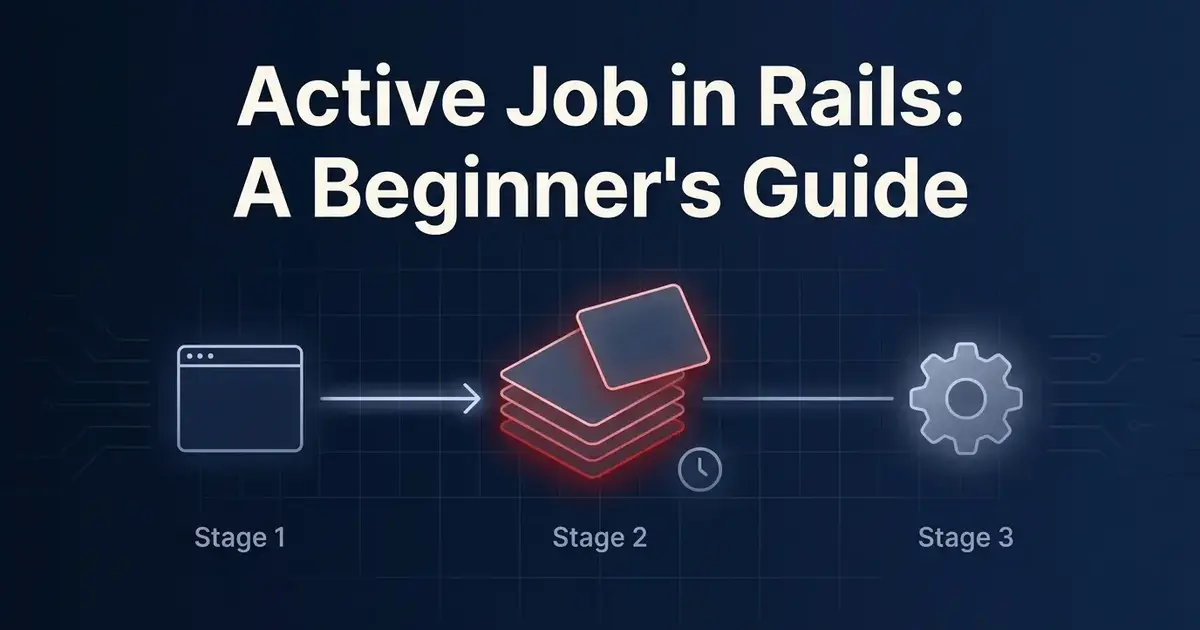
Every web application eventually hits the same wall. A user signs up, and you want to send them a welcome email. A customer uploads a photo, and you need to resize it into three different formats. Someone requests a report, and generating it takes twelve seconds. If you try to do any of that work inside the request/response cycle, your users are stuck staring at a loading spinner while your server does work that has nothing to do with rendering their page.
This is where background jobs come in, and in Rails, the tool built specifically for this job is Active Job.
Active Job is Rails' unified interface for background processing. It gives you one consistent API for defining, queuing, and running jobs, regardless of which backend actually processes them. Whether you're using Solid Queue, Sidekiq, or something else entirely, your job code looks the same. You write the job once, and Rails handles the plumbing underneath.
In this guide, you'll learn what Active Job is and why it exists, how it works under the hood, and how to set it up in a Rails 8 application using Solid Queue, which is now the default queuing backend for new Rails apps. You'll build real jobs from scratch, learn how to pass arguments safely, schedule delayed work, organize jobs into queues, and handle retries and failures like a production engineer. By the end, you'll have a solid mental model for background jobs and a handful of practical patterns you can drop straight into your own projects.
Let's get into it.
What Is Active Job?
Active Job is a framework built into Rails that provides a standard way to declare jobs and make them run on a variety of queuing backends. Think of it as an adapter layer. Instead of learning the specific API of Sidekiq or Resque or Delayed Job, you write your job logic using Active Job's conventions, and then you choose which backend actually executes that job.
This existed because, before Active Job was introduced, every queuing library had its own way of defining and enqueuing jobs. If you built your app around Sidekiq's API and later needed to switch to a different backend, you'd have to rewrite every single job. Active Job solved that by giving Rails developers one interface to learn, with the freedom to swap out the underlying engine without touching your job classes.
Under the hood, Active Job abstracts away things like:
- How a job gets serialized and stored
- How a job gets picked up and executed
- How retries and error handling are configured
- How jobs get scheduled for future execution
You still need to pick a backend (called a "queue adapter") to actually run your jobs, but your day-to-day job-writing experience stays consistent no matter which one you choose.
Common use cases for Active Job include sending emails, processing uploaded files, calling third-party APIs, generating reports, cleaning up stale data, and syncing information between systems. Basically, anything that doesn't need to happen instantly while a user is waiting on a response.
Why Use Background Jobs?
Let's get specific about why you'd reach for a background job instead of just running code directly in a controller action.
Sending emails. Email delivery involves a network call to an SMTP server or an email service like SendGrid or Postmark. That call can take anywhere from a few hundred milliseconds to several seconds, and sometimes it fails or times out entirely. You don't want a slow mail server making your signup form feel broken.
Processing images. Resizing, cropping, or generating thumbnails from an uploaded image is CPU-intensive. If a user uploads a 20 MB photo and your controller tries to process it synchronously, that request could take several seconds, or crash under load if many users upload photos at once.
Importing CSV files. Parsing a CSV with ten thousand rows and creating database records for each one is not something you want happening inside a web request. It could easily exceed your server's request timeout.
Generating reports. Complex reports that aggregate data across many tables, calculate totals, and format output can take real time to compute. That kind of work belongs in the background, with the result delivered by email or made available for download once it's ready.
Calling external APIs. Any time your app depends on a third-party service, like a payment processor, a shipping calculator, or a weather API, you're at the mercy of that service's response time. If it's slow or down, you don't want your own app to grind to a halt.
Sending notifications. Push notifications, SMS messages, and Slack alerts all involve external services with their own latency and failure modes.
Cleaning up old records. Deleting expired sessions, archiving old logs, or purging soft-deleted records is maintenance work that has zero urgency for the end user and should never block a request.
Data synchronization. Keeping your app's data in sync with an external CRM, analytics platform, or search index is background work almost by definition.
The common thread here is that all of these tasks are either slow, unreliable, or simply unrelated to what the user is currently doing. Blocking a web request on any of them hurts your app's responsiveness and, at scale, its stability. Background jobs let your web server respond quickly and hand off the slow work to a separate process.
How Active Job Works
Before diving into code, it helps to understand the lifecycle of a job. At a high level, it looks like this:
[ Web Request ]
      |
      v
[ Job Created & Enqueued ]  --->  perform_later called
      |
      v
[ Job Serialized & Stored in Queue ]
      |
      v
[ Worker Process Polls Queue ]
      |
      v
[ Worker Picks Up Job ]
      |
      v
[ Job Deserialized ]
      |
      v
[ perform Method Executes ]
      |
      v
[ Job Completes ] ---> (or fails and is retried/discarded)
Here's what happens in plain terms. Somewhere in your app, usually a controller or a model callback, you call perform_later on a job class. This doesn't run the job immediately. Instead, Active Job serializes the job's arguments (converting them into a format that can be stored, like JSON) and hands the whole thing off to your queue adapter, which is Solid Queue in a modern Rails 8 app.
Solid Queue stores that job as a row in a database table. Separately, one or more worker processes are running, continuously polling the queue for new work. When a worker finds a job waiting to be processed, it picks it up, deserializes the arguments back into Ruby objects, and calls the job's perform method with those arguments.
If the perform method finishes without raising an error, the job is marked complete. If it raises an error, Active Job's retry and error handling logic kicks in, which we'll cover in detail later.
The important thing to internalize here is the separation between "enqueuing" and "performing." Enqueuing happens fast, right in your web request, and just means "add this job to the queue." Performing happens later, in a completely separate process, and is where your actual job logic runs.
Setting Up Active Job in Rails 8
Rails 8 ships with Solid Queue as the default Active Job backend for new applications. This is a meaningful shift. Previously, most Rails apps reached for Redis-backed solutions like Sidekiq because Rails didn't ship with a solid, database-backed option out of the box. Solid Queue changes that. It's a queuing backend built by 37signals that stores jobs directly in your relational database, meaning no additional infrastructure like Redis is required to get background jobs working.
If you're starting a new Rails 8 app with rails new, Solid Queue is configured for you automatically. If you're adding it to an existing app, here's what you need.
First, add the gem if it isn't already in your Gemfile:
gem "solid_queue"
Run bundle install:
bundle install
Next, install Solid Queue, which generates a configuration file and the necessary database migration:
bin/rails solid_queue:install
This creates a config/queue.yml file for configuring your queues, along with a migration that adds tables like solid_queue_jobs, solid_queue_ready_executions, solid_queue_scheduled_executions, and a few others. These tables store everything Solid Queue needs to track job state, run scheduled jobs, and handle retries.
Run the migration:
bin/rails db:migrate
Then tell Rails to use Solid Queue as the Active Job adapter. In config/environments/production.rb (and optionally development):
config.active_job.queue_adapter = :solid_queue
Finally, you need to actually run a worker process so jobs get picked up and executed. In development, you can run:
bin/jobs
In production, Solid Queue is typically run as a separate process alongside your web server, often managed by something like Kamal, systemd, or your hosting platform's process manager. If you're using Rails 8's default setup with Puma, Solid Queue can even run in the same process as your web server for smaller apps, using the SOLID_QUEUE_IN_PUMA configuration, though for anything beyond a small app, running it as a dedicated process is the better long-term choice.
One more nice detail: Rails 8 also bundles Mission Control Jobs, a web dashboard for inspecting your queues, viewing failed jobs, and retrying or discarding them. It's worth installing if you want visibility into what's happening in your queues without digging through database tables directly.
Creating Your First Job
Let's build an actual job. Rails gives you a generator for this, which is the fastest way to get the right file structure.
bin/rails generate job send_welcome_email
This creates app/jobs/send_welcome_email_job.rb:
class SendWelcomeEmailJob < ApplicationJob
  queue_as :default

  def perform(*args)
    # Do something later
  end
end
Every job inherits from ApplicationJob, which itself inherits from ActiveJob::Base. This gives you access to all of Active Job's features, like queue_as, retry_on, and discard_on, which we'll get to shortly.
Let's fill this in with something real. Say you want to send a welcome email when a user signs up:
class SendWelcomeEmailJob < ApplicationJob
  queue_as :default

  def perform(user_id)
    user = User.find(user_id)
    UserMailer.welcome_email(user).deliver_now
  end
end
A few things worth noting here. The perform method is where your actual job logic lives. Everything in Active Job exists to eventually call this method with the right arguments. Notice that we're passing user_id, not the user object itself. We'll dig into why in the next section, but the short version is that IDs serialize cleanly and always fetch fresh data, while passing whole objects can cause subtle bugs.
Inside perform, we look the user up by ID and then call our mailer. Note we use deliver_now here, not deliver_later, because we're already inside a background job. There's no need to enqueue another job just to send this one email.
Now, how do you actually run this job? Active Job gives you two methods: perform_now and perform_later.
# Runs immediately, synchronously, in the current process
SendWelcomeEmailJob.perform_now(user.id)

# Enqueues the job to run in the background, asynchronously
SendWelcomeEmailJob.perform_later(user.id)
perform_now is useful for testing or for cases where you genuinely want the job to run immediately and block until it's done. But in almost all real-world scenarios, especially inside controllers, you want perform_later. That's what actually gets you the background processing benefit we've been talking about this whole time.
Here's what that looks like inside a controller:
class UsersController < ApplicationController
  def create
    @user = User.new(user_params)

    if @user.save
      SendWelcomeEmailJob.perform_later(@user.id)
      redirect_to @user, notice: "Welcome! Check your inbox."
    else
      render :new, status: :unprocessable_entity
    end
  end
end
The user gets created, the job gets enqueued (which takes milliseconds), and the response is sent back to the browser right away. The actual email sending happens moments later, in a separate worker process, completely invisible to the person who just signed up.
Passing Arguments to Jobs
Active Job needs to serialize whatever arguments you pass to perform_later, because those arguments get stored in the database (via Solid Queue) until a worker is ready to process them. This means not everything can be passed directly, and there are some important best practices here.
Simple types work fine. Strings, integers, floats, booleans, and nil all serialize without any special handling:
NotifyUserJob.perform_later(user_id, "Your order has shipped", true)
Arrays and hashes work too, as long as everything inside them is also serializable:
ImportRecordsJob.perform_later(record_ids: [1, 2, 3], source: "csv_upload")
Active Record models can be passed directly, and this is actually a nice feature of Active Job called Global ID serialization:
SendWelcomeEmailJob.perform_later(user)
Behind the scenes, Active Job converts that user object into a Global ID string, something like gid://your-app/User/42, stores that string, and then automatically looks the record back up from the database when the job runs. This means your perform method can receive the actual model:
def perform(user)
  UserMailer.welcome_email(user).deliver_now
end
This works, and it's convenient, but there's a subtlety worth understanding. Best practice in most production apps is still to pass IDs explicitly rather than whole model instances, even though Rails supports both. Here's why: if there's any delay between when a job is enqueued and when it actually runs (which is normal, jobs can sit in a queue for seconds, minutes, or longer under load), the record might have changed, or been deleted, by the time the job executes. Passing an ID and re-fetching the record inside perform guarantees you're always working with the freshest data. It also avoids serialization bloat if you accidentally pass a large, deeply-associated object graph.
So a common convention looks like this:
class UpdateInventoryJob < ApplicationJob
  queue_as :default

  def perform(product_id, quantity_change)
    product = Product.find(product_id)
    product.update!(stock: product.stock + quantity_change)
  end
end
UpdateInventoryJob.perform_later(product.id, -3)
Simple, explicit, and safe against stale data.
Scheduling Jobs
Sometimes you don't want a job to run right away. Maybe you want to send a reminder email 24 hours after signup, or schedule a subscription renewal check for a specific date. Active Job supports this through the set method, chained before you call perform_later.
Delaying by a duration, using wait:
ReminderEmailJob.set(wait: 1.day).perform_later(user.id)
This job won't run for 24 hours after it's enqueued. Solid Queue keeps track of when it should become eligible for pickup, and workers simply won't touch it until then.
Scheduling for a specific time, using wait_until:
subscription_renewal_time = user.subscription.renews_at
RenewSubscriptionJob.set(wait_until: subscription_renewal_time).perform_later(user.id)
This is useful when you have an exact timestamp in mind rather than a relative duration.
A real-world example: imagine a SaaS app where you want to send a "your trial is ending soon" email exactly three days before a trial expires.
class TrialsController < ApplicationController
  def start_trial
    @user.update!(trial_ends_at: 14.days.from_now)

    TrialEndingSoonJob
      .set(wait_until: @user.trial_ends_at - 3.days)
      .perform_later(@user.id)

    redirect_to dashboard_path
  end
end
The job is enqueued the moment the trial starts, but it sits dormant in the queue until three days before expiration, at which point a worker picks it up and sends the email. This pattern is much simpler and more reliable than trying to build your own cron-based polling system for time-sensitive tasks.
Job Queues and Priorities
As your app grows, you'll likely end up with different categories of jobs that have different urgency levels. Sending a password reset email is time-sensitive. Regenerating a weekly analytics report is not. Active Job lets you organize jobs into named queues so you can process them with different priorities or even different worker pools entirely.
You set a job's queue using queue_as:
class SendPasswordResetJob < ApplicationJob
  queue_as :critical

  def perform(user_id)
    # ...
  end
end
class GenerateWeeklyReportJob < ApplicationJob
  queue_as :low_priority

  def perform(account_id)
    # ...
  end
end
With Solid Queue, you configure how workers process these queues in config/queue.yml. You can assign more workers to high-priority queues, or dedicate specific worker processes to specific queues entirely:
production:
  workers:
    - queues: critical
      threads: 5
      processes: 2
    - queues: default,low_priority
      threads: 3
      processes: 1
This configuration means your critical queue gets its own dedicated workers with more concurrency, so password reset emails and similar urgent jobs don't get stuck waiting behind a big batch of report-generation jobs. Meanwhile, default and low_priority jobs share a smaller pool of workers, since they're less time-sensitive.
Organizing jobs by queue like this is one of the simplest ways to keep your background processing system predictable as it scales. Without it, a flood of low-priority jobs (like a bulk CSV import) can effectively starve urgent jobs of worker capacity, delaying things your users are actively waiting on.
Retrying Failed Jobs
Jobs fail. Networks time out, third-party APIs return errors, and sometimes there's a genuine bug. Active Job gives you built-in tools to handle this gracefully instead of just letting failed jobs disappear or crash your worker process.
The main tool here is retry_on, which tells Active Job to automatically retry a job when a specific error is raised:
class SyncWithCrmJob < ApplicationJob
  queue_as :default

  retry_on Net::OpenTimeout, wait: 10.seconds, attempts: 5

  def perform(contact_id)
    contact = Contact.find(contact_id)
    CrmService.sync(contact)
  end
end
Here, if CrmService.sync raises a Net::OpenTimeout (say, the CRM's API is temporarily unreachable), Active Job will automatically retry the job up to 5 times, waiting 10 seconds between each attempt. You can also use exponential backoff, which spaces out retries progressively so you're not hammering a struggling external service:
retry_on Net::OpenTimeout, wait: :exponentially_longer, attempts: 5
Sometimes, though, a failure isn't worth retrying at all. If a job fails because the record it's looking for no longer exists, retrying won't help, it'll just fail again in exactly the same way. For cases like this, use discard_on:
class UpdateInventoryJob < ApplicationJob
  queue_as :default

  discard_on ActiveRecord::RecordNotFound

  def perform(product_id, quantity_change)
    product = Product.find(product_id)
    product.update!(stock: product.stock + quantity_change)
  end
end
If the product has been deleted by the time this job runs, ActiveRecord::RecordNotFound gets raised, and instead of endlessly retrying a job that can never succeed, discard_on tells Active Job to quietly drop it.
For production apps, you also want visibility into failures that do slip through, whether they exhaust their retries or you intentionally didn't configure a retry at all. A simple pattern is logging inside a rescue block, or hooking into Active Job's callbacks:
class ChargeSubscriptionJob < ApplicationJob
  queue_as :critical

  retry_on Stripe::APIConnectionError, wait: :exponentially_longer, attempts: 3

  rescue_from(StandardError) do |exception|
    Rails.logger.error("ChargeSubscriptionJob failed: #{exception.message}")
    raise exception
  end

  def perform(subscription_id)
    subscription = Subscription.find(subscription_id)
    PaymentService.charge(subscription)
  end
end
This logs the failure with context before re-raising it, so it still shows up in your failed jobs list (visible through Mission Control Jobs if you have it installed) while also getting captured in your application logs or error tracking service.
A good rule of thumb: use retry_on for transient, likely-to-resolve-itself failures like network timeouts, and use discard_on for failures that will never succeed no matter how many times you try, like a missing record or invalid data. Everything else should at least be logged so you know it happened.
Active Job with Action Mailer
One of the most common and satisfying uses of Active Job is pairing it with Action Mailer. Rails actually makes this almost effortless, because Action Mailer is already built on top of Active Job under the hood.
Here's a standard mailer:
class UserMailer < ApplicationMailer
  def welcome_email(user)
    @user = user
    mail(to: @user.email, subject: "Welcome to CodeCurious!")
  end

  def password_reset(user)
    @user = user
    @reset_url = edit_password_reset_url(@user.reset_token)
    mail(to: @user.email, subject: "Reset your password")
  end
end
To send these asynchronously, instead of calling .deliver_now, you call .deliver_later:
UserMailer.welcome_email(@user).deliver_later
UserMailer.password_reset(@user).deliver_later
That's it. deliver_later automatically enqueues an Active Job behind the scenes, using whatever queue adapter you've configured, which in our case is Solid Queue. You don't need to write a custom job class for basic email sending at all, Action Mailer handles that integration for you.
The advantage of asynchronous email delivery should be clear at this point: your controller doesn't wait around for an SMTP handshake or an email API call to complete. The user gets an instant response, and the email goes out moments later from a background worker.
You can even control which queue mailer jobs use:
class UserMailer < ApplicationMailer
  self.deliver_later_queue_name = :mailers
end
This keeps email jobs separate from other background work, which is helpful if you want to monitor or scale email delivery independently from, say, image processing jobs.
Active Job with Service Objects
As your background jobs grow beyond trivial one-liners, you'll want to keep business logic out of the job class itself. This is where Service Objects come in. A Service Object is a plain Ruby class that encapsulates a single piece of business logic, and jobs pair with them extremely well.
The reasoning here is simple: a job's responsibility should be to find the right data and delegate to something else. It shouldn't own the actual business logic. This keeps your jobs thin, makes the underlying logic testable without needing to run it through Active Job at all, and lets you reuse that same logic somewhere else if you ever need to (for example, calling it synchronously from a Rake task or an admin action).
Here's an example built around processing a payment:
class ProcessPaymentService
  def initialize(order)
    @order = order
  end

  def call
    charge = Stripe::Charge.create(
      amount: @order.total_cents,
      currency: "usd",
      customer: @order.user.stripe_customer_id,
      description: "Order ##{@order.id}"
    )

    @order.update!(status: :paid, stripe_charge_id: charge.id)
  rescue Stripe::CardError => e
    @order.update!(status: :payment_failed)
    raise e
  end
end
And the job that runs it:
class ProcessPaymentJob < ApplicationJob
  queue_as :critical

  retry_on Stripe::APIConnectionError, wait: :exponentially_longer, attempts: 3
  discard_on ActiveRecord::RecordNotFound

  def perform(order_id)
    order = Order.find(order_id)
    ProcessPaymentService.new(order).call
  end
end
Notice how clean this split is. The job's perform method has exactly two lines: find the record, delegate to the service. All the actual Stripe integration logic, error handling, and status updates live in ProcessPaymentService, which you can unit test completely independently of Active Job.
This same pattern works well for CSV imports, sending batches of notifications, or syncing data with external systems. The job becomes a thin adapter between "something needs to happen in the background" and "here's the code that actually does it."
Comparing Queue Adapters
Active Job supports several backends, and it's worth understanding the landscape even though this guide focuses on Solid Queue.
Solid Queue is the new default for Rails 8 applications. It stores jobs directly in your relational database, meaning no additional infrastructure like Redis is required. For most new Rails apps, especially small to mid-sized ones, this is the simplest path: one less service to run, monitor, and pay for.
Sidekiq has long been the most popular queue adapter in the Rails ecosystem. It's Redis-backed, extremely fast, and battle-tested at massive scale. It requires running Redis alongside your app, and its more advanced features (like Sidekiq Pro) come with a paid tier. Many established Rails apps still run on Sidekiq, and it remains an excellent choice, particularly for high-throughput workloads.
GoodJob is another database-backed adapter, similar in spirit to Solid Queue, built on top of Postgres specifically. It predates Solid Queue and has a strong reputation for reliability, with features like a built-in dashboard and Postgres advisory locks for coordination.
Delayed Job is one of the older solutions in the Rails world, also database-backed. It's simple and dependable but has largely fallen out of favor as more modern alternatives have emerged.
Resque is a Redis-backed adapter, similar to Sidekiq in concept but older and less actively developed at this point. It's still functional, but most new projects lean toward Sidekiq or Solid Queue instead.
For a new Rails 8 application, Solid Queue is the sensible starting point. It ships with the framework, requires no extra infrastructure, and is fully supported by Basecamp's team in production at real scale. If you eventually hit a workload that genuinely needs Redis-level throughput, or you already have Redis running for caching or Action Cable, switching to Sidekiq later is a well-trodden path since your job classes themselves don't need to change, only your queue adapter configuration.
Common Mistakes
A few patterns come up again and again when developers are new to background jobs. Here's what to watch for.
Performing heavy work inside controllers. This defeats the entire purpose of Active Job. If you find yourself writing a loop that processes hundreds of records directly inside a controller action, that's a background job waiting to happen.
Passing entire Active Record objects unnecessarily. As covered earlier, passing IDs and re-fetching records inside perform is safer than passing whole model instances, especially for jobs that might sit in the queue for a while before running.
Creating oversized jobs. A job that does five unrelated things (send an email, update a record, call an API, log an event, and clear a cache) is harder to test, harder to retry safely, and harder to reason about when something fails partway through. Break large jobs into smaller, focused ones, or delegate to Service Objects.
Ignoring retries. Not every job needs a custom retry strategy, but network calls to external services almost always should have one. Without retry_on, a single transient failure (like a one-second network blip) will simply fail the job with no second attempt.
Not monitoring failed jobs. It's easy to enqueue jobs and assume they're running fine. Without checking Mission Control Jobs (or your adapter's equivalent dashboard) periodically, failed jobs can pile up silently, and you won't find out until a user complains that they never got their password reset email.
Putting business logic directly in jobs. As covered in the Service Objects section, jobs that own complex business logic become hard to test and hard to reuse. Keep jobs thin.
Best Practices
To wrap up the practical guidance, here's a condensed list of habits worth building as you write more jobs.
Keep jobs small. Each job should do one clear thing. If you're describing a job with "and" ("this job sends an email and updates a record and calls an API"), consider splitting it up.
Make jobs idempotent. Because of retries, a job might run more than once with the same arguments. Design your perform methods so that running them twice doesn't cause duplicate side effects, like sending the same email twice or double-charging a customer. A common technique is checking state before acting: return if order.paid? at the top of a payment job, for example.
Pass IDs instead of large objects. This keeps serialized job data small and ensures you're always working with fresh data when the job actually runs.
Use Service Objects for business logic. Keep your job's perform method focused on finding data and delegating, not implementing complex logic inline.
Retry only recoverable failures. Reach for retry_on when a failure is likely temporary, like a network timeout. Use discard_on for failures that will never resolve themselves, like a missing record.
Monitor queue health. Install Mission Control Jobs or an equivalent dashboard, and check it regularly, especially after deploys. A sudden spike in failed jobs is often the first sign something's broken elsewhere in your system.
Log important events. A short log line at the start and end of a significant job, especially ones involving payments or external services, makes debugging production issues far easier than digging through queue tables after the fact.
Real-World Example
Let's tie everything together with a complete feature: publishing a blog article on a platform like CodeCurious. When an author publishes a new article, several things need to happen, and almost none of them should block the publish action itself.
Here's the controller action, kept intentionally thin:
class Admin::ArticlesController < ApplicationController
  def publish
    @article = Article.find(params[:id])
    @article.update!(status: :published, published_at: Time.current)

    ArticlePublishedJob.perform_later(@article.id)

    redirect_to admin_article_path(@article), notice: "Article published!"
  end
end
The controller does exactly one thing synchronously: mark the article as published. Everything else is handed off to a single job that orchestrates the rest of the workflow:
class ArticlePublishedJob < ApplicationJob
  queue_as :default

  discard_on ActiveRecord::RecordNotFound

  def perform(article_id)
    article = Article.find(article_id)

    GenerateThumbnailJob.perform_later(article.id)
    NotifySubscribersJob.perform_later(article.id)
    PostToSocialMediaJob.perform_later(article.id)
    ClearArticleCachesJob.perform_later(article.id)
  end
end
Notice this job doesn't do the actual work itself, it fans out into four more specific jobs, each with a single responsibility:
class GenerateThumbnailJob < ApplicationJob
  queue_as :low_priority

  def perform(article_id)
    article = Article.find(article_id)
    ThumbnailGeneratorService.new(article).call
  end
end
class NotifySubscribersJob < ApplicationJob
  queue_as :default

  def perform(article_id)
    article = Article.find(article_id)

    article.subscribers.find_each do |subscriber|
      ArticleMailer.new_article(subscriber, article).deliver_later
    end
  end
end
class PostToSocialMediaJob < ApplicationJob
  queue_as :low_priority

  retry_on Faraday::TimeoutError, wait: :exponentially_longer, attempts: 3

  def perform(article_id)
    article = Article.find(article_id)
    SocialMediaPoster.new(article).post_to_facebook
  end
end
class ClearArticleCachesJob < ApplicationJob
  queue_as :low_priority

  def perform(article_id)
    Rails.cache.delete("article/#{article_id}")
    Rails.cache.delete("homepage_articles")
  end
end
This design has a few real advantages worth calling out. First, the publish action itself stays fast, because it only enqueues one job. Second, each downstream task can fail and retry independently. If posting to social media times out, that doesn't affect thumbnail generation or subscriber emails at all, since they're separate jobs. Third, each job is easy to test in isolation, and easy to reason about since it does exactly one thing. This is the same fan-out pattern you'll find useful any time a single user action needs to trigger several independent pieces of background work.
Frequently Asked Questions
What is Active Job? Active Job is Rails' built-in framework for defining and running background jobs, with a consistent API that works across different queue adapters like Solid Queue and Sidekiq.
What is the difference between perform_now and perform_later? perform_now runs the job immediately, synchronously, in the current process. perform_later enqueues the job to be run asynchronously by a background worker, which is what you want for actual background processing.
Is Active Job asynchronous? Active Job itself is just an interface. Whether jobs run asynchronously depends on the queue adapter you configure. With Solid Queue, Sidekiq, or similar backends, perform_later jobs run asynchronously in a separate worker process.
What is Solid Queue? Solid Queue is a database-backed Active Job adapter built by 37signals, and it's the default queue backend for new Rails 8 applications. It stores jobs in your relational database, so you don't need Redis or any other extra infrastructure to run background jobs.
Should I use Sidekiq or Solid Queue? For most new Rails 8 apps, start with Solid Queue since it's simpler to set up and already included. If you later need Redis-level throughput or already run Redis for other purposes, Sidekiq is a proven alternative you can migrate to without rewriting your job classes.
How do I retry failed jobs? Use retry_on inside your job class to automatically retry when a specific error is raised, optionally with a wait strategy like exponential backoff. Use discard_on for failures that will never succeed no matter how many times you retry.
Can I schedule jobs? Yes. Use .set(wait: duration) to delay a job by a relative amount of time, or .set(wait_until: timestamp) to schedule it for an exact time.
How do I debug Active Job? Check your Rails logs for job enqueuing and execution details, and install Mission Control Jobs to get a web dashboard showing pending, running, and failed jobs, along with the ability to retry or discard them manually.
Conclusion
Active Job is one of those Rails features that quietly makes your entire application better once you start using it consistently. It gives you a clean, unified interface for background processing, so sending emails, resizing images, calling external APIs, and cleaning up old data all follow the same predictable pattern, regardless of which queue backend sits underneath.
With Solid Queue now the default in Rails 8, getting background jobs running in a new app requires almost no extra setup and no additional infrastructure. That removes what used to be a real barrier to adopting background processing early in a project's life.
The core lesson to take away is simple: anything slow, unreliable, or unrelated to the immediate response your user is waiting for belongs in a background job. Keep your jobs small, pass IDs instead of full objects, retry the failures that are worth retrying, and lean on Service Objects to keep business logic out of your job classes.
If you're just getting started, build a few jobs using Solid Queue, get comfortable with perform_later, retries, and scheduling, and you'll have a solid foundation. From there, exploring other queue adapters like Sidekiq becomes a matter of scaling up when you actually need to, not something you have to figure out on day one.
