Rails Middleware: How Requests Are Processed
Learn how Rails middleware works, how requests move through the Rack stack, and how to build, order, and test custom middleware.
By Jean Emmanuel Cadet • 20 min read
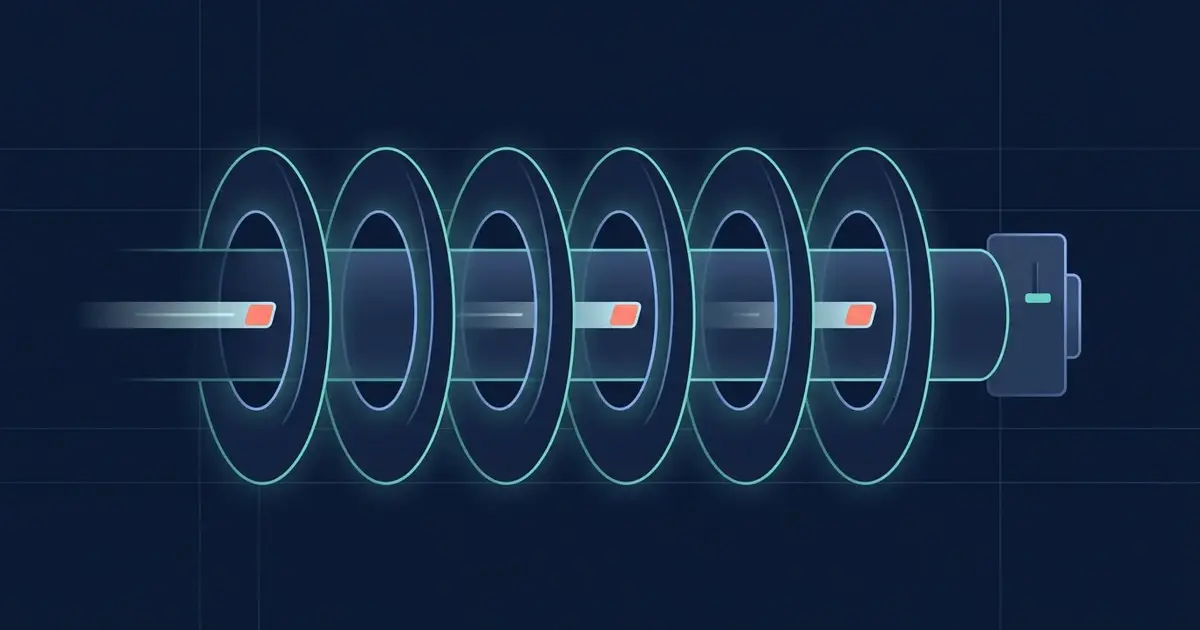
When a browser sends a request to your Rails application, a lot happens before your controller action runs. The request reaches a web server such as Puma, and Rails hands it through a chain of small components that each get a chance to inspect it, change it, or stop it. Those components are Rails middleware, and together they form the middleware stack.
Most Rails developers can build features for years without thinking about middleware. Then a request ID is missing from the logs, a session cookie behaves strangely, or an API endpoint needs a custom header on every response, and the answer lives in the stack. Understanding Rails middleware helps with four everyday jobs:
- Debugging: you can tell whether a problem happens before routing, inside a controller, or on the way back out.
- Security: host checks, cookies, sessions, and security headers all involve the stack.
- Logging: request IDs and request logs come from middleware.
- Performance: every middleware component adds work to every request that passes through it.
In this guide you will learn what middleware is, how the Rack interface works, which built-in middleware ships with Rails, how to write and register your own, how order affects behavior, and how to test it. The examples target Rails 8.1 conventions and Rack 3.
What Is Middleware in Rails?
To understand Rails middleware, start with Rack. Rack is a small specification that describes how Ruby web servers talk to Ruby web applications. A Rack application is any Ruby object that responds to call, accepts one argument (a hash describing the request), and returns an array of three values: a status code, headers, and a body.
Rails itself is a Rack application. Puma (or another Rack-compatible server) calls your Rails app with each request, and Rails returns a Rack-style response.
Middleware is a Rack application that wraps another Rack application. It receives the request, can do some work, usually calls the next application in the chain, and can then work with the response before returning it. Each piece is only aware of the next one, so the whole chain behaves like layers of an onion.
Rack, Rails, and the middleware stack
Here is how the pieces relate:
- Rack defines the interface:
call(env)returns[status, headers, body]. - The Rails middleware stack is an ordered list of Rack middleware that Rails builds when your app boots.
- Your application’s router and controllers sit at the end of that list. The router is itself a Rack application, and controller actions are also reachable through the same interface.
So middleware is not a Rails-only idea. Rails uses Rack middleware, adds its own middleware under the ActionDispatch and Rails namespaces, and gives you a configuration API (config.middleware) to manage the stack.
What middleware can do
Because middleware sits around the application, it can:
- Inspect the request: read the method, path, headers, or client IP.
- Modify the request environment: add values that later components can read.
- Modify the response: add or change headers, or wrap the body.
- Stop processing early: return a response without ever calling the next component, so the request never reaches a controller. A maintenance page and a host check both work this way.
Early termination is the key difference between middleware and most code you write in a controller. Middleware can decide that a request should never get that far.
How the Rails Middleware Stack Works
Here is the high-level journey of a request through a Rails application:
Browser
  |
  v
Web server (for example, Puma)
  |
  v
Middleware 1  -->  Middleware 2  -->  Middleware 3  -->  ...
                                                            |
                                                            v
                                                     Rails router
                                                            |
                                                            v
                                                  Controller action
                                                            |
                                                            v
                                                  Response is built
  <--  <--  <--  <--  <--  <--  <--  <--  <--  <--  <--  <--
Middleware 3 <-- Middleware 2 <-- Middleware 1 <-- Web server <-- Browser
Requests go in, responses come back out
In general, the request moves through the stack from the first middleware to the last, in the order Rails lists them. Each middleware calls the next one. Once the application produces a response, the return values travel back through the same call chain in reverse order, so the last middleware to receive the request is the first to see the response.
That reverse flow is not a separate mechanism. It is ordinary Ruby method returns. When middleware_a calls @app.call(env), the response comes back as the return value of that call, and middleware_a can use it before returning it upward.
The exact flow depends on your configured stack and on what each component chooses to do. A middleware may skip the next component, return early, add headers on the way out, or raise an exception that an outer middleware handles. The diagram shows the common case, not a guarantee.
Where routing, controllers, and responses fit
Routing and controllers are not part of the middleware list in the same sense. They sit at the end of it. After the last middleware, the request reaches the Rails router, which matches the path and HTTP verb against your config/routes.rb and dispatches to a controller action. If you want a deeper look at that step, read how Rails routing works in Rails 8.
Then the controller runs its callbacks and action, and renders a response. That response travels back up through the middleware stack, where components such as cookie and session handling can write their changes before the response goes back to the browser.
In short:
- Middleware handles cross-cutting, request-level concerns before and after the application.
- Routing decides which controller action should handle a request.
- Controllers implement application behavior and build the response.
The Rack Interface: call, env, and response
Every piece of the chain follows the same contract. If you understand it, you can read any middleware’s source code.
The env hash
When Rack calls an application, it passes one argument, usually named env. This is a Hash that describes the request and the server environment. Common keys include:
"REQUEST_METHOD": the HTTP verb, such as"GET"."PATH_INFO": the request path, such as"/articles"."QUERY_STRING": the raw query string, without the leading question mark."HTTP_HOST"and other"HTTP_*"keys: request headers, for example"HTTP_USER_AGENT"."rack.input": an IO-like object for the request body.
Keys that contain a dot are conventionally set by Rack or by libraries, and Rails adds its own keys such as "action_dispatch.request_id". Middleware often uses env as shared storage, writing a value that later components can read.
In real code you usually avoid reading raw env keys. Rack::Request and ActionDispatch::Request wrap env and give you readable methods:
request = ActionDispatch::Request.new(env)
request.path    # => "/articles"
request.get?    # => true
The response triple
A Rack response is an array of three values:
- Status: an integer such as
200or404. - Headers: a hash of header names to string values.
- Body: an object that responds to
eachand yields strings. An array of strings such as["Hello"]is the simplest form.
A version note: Rack 3 requires response header names to be lowercase (for example "content-type"), and Rails 8.x applications resolve to Rack 3 by default. Lowercase names are the safe choice in your own code. Check what your app uses with bundle info rack.
A small example
Here is a complete, runnable example that wraps a plain Rack app, with no Rails required:
require "rack"

class PoweredByDemo
  def initialize(app)
    @app = app
  end

  def call(env)
    status, headers, body = @app.call(env)
    headers["x-powered-by-demo"] = "CodeCurious"
    [status, headers, body]
  end
end

hello_app = lambda do |env|
  [200, { "content-type" => "text/plain" }, ["Hello from the app\n"]]
end

stack = Rack::Builder.app do
  use PoweredByDemo
  run hello_app
end

response = Rack::MockRequest.new(stack).get("/")
puts response.status                      # => 200
puts response.headers["x-powered-by-demo"] # => "CodeCurious"
puts response.body                        # => "Hello from the app\n"
What happens here:
hello_appis the innermost application. It ignores the request and returns a fixed response.PoweredByDemoreceives the next app ininitialize, calls it incall, adds a header to the response, and returns the response.Rack::Builderwires them together, andRack::MockRequestlets you call the stack without starting a server.
This pattern (store app, define call, delegate with @app.call(env)) is the shape of nearly every middleware you will meet.
Built-in Rails Middleware You Should Know
A new Rails app ships with a set of middleware that handles common concerns. Which ones are active depends on your Rails version, your configuration, and the environment. An API-only app (config.api_only = true), for example, leaves out cookies, sessions, and flash by default.
Inspect your own stack
Do not rely on a list from a blog post, including this one. Ask your application:
bin/rails middleware
The output is a list in stack order, ending with the application’s router. Here is an abbreviated, illustrative example. Your output will differ:
use ActionDispatch::HostAuthorization
use Rack::Sendfile
use ActionDispatch::Executor
use Rack::Runtime
use Rack::MethodOverride
use ActionDispatch::RequestId
use ActionDispatch::RemoteIp
use Rails::Rack::Logger
use ActionDispatch::ShowExceptions
use ActionDispatch::DebugExceptions
use ActionDispatch::Reloader
use ActionDispatch::Callbacks
use ActionDispatch::Cookies
use ActionDispatch::Session::CookieStore
use ActionDispatch::Flash
use ActionDispatch::ContentSecurityPolicy::Middleware
use Rack::Head
use Rack::ConditionalGet
use Rack::ETag
run MyApp::Application.routes
How to read the output
- Each
useline is a middleware class. The top one sees the request first. - The final
runline is the application at the end of the chain. Here it is the route set, meaning the router. - Run the command in different environments (for example
RAILS_ENV=production bin/rails middleware) to see how the list changes.
Middleware worth knowing
ActionDispatch::HostAuthorization: blocks requests whoseHostheader is not on your allowed list. It helps protect against DNS rebinding and host header attacks, and you configure it withconfig.hosts.ActionDispatch::RequestId: assigns a unique ID to each request and exposes it in thex-request-idresponse header. It is the reason you can correlate log lines for a single request.Rails::Rack::Logger: writes the familiar “Started GET ...” log entries. If you are tuning what your app logs, see Rails logging and debugging production apps.ActionDispatch::ShowExceptionsandDebugExceptions: turn unhandled exceptions into error pages or debug pages, depending on environment configuration.ActionDispatch::Cookies,Session::CookieStore, andFlash: read cookies and the session from the request and write them back on the response. They work on the way in and the way out.ActionDispatch::ContentSecurityPolicy::Middleware: adds the Content Security Policy header when you configure a policy. A practical walkthrough is in Rails Content Security Policy: a practical guide.ActionDispatch::ExecutorandReloader: manage code execution and development-time reloading.Rack::ETagandRack::ConditionalGet: support HTTP caching by generating ETags and answering conditional requests with304 Not Modifiedwhere possible.
One precision note on security headers: some defaults, such as x-frame-options and x-content-type-options, are applied to responses through config.action_dispatch.default_headers rather than a dedicated middleware class. Do not assume every security header maps to one middleware entry.
How to Create Custom Rails Middleware
Let’s build something useful: a middleware that writes one concise log line for every request, with the request ID, method, path, status, and duration. It can also add an application version header to responses.
Where the class should live
Put it in lib/middleware/request_summary_logger.rb.
Here is the reason for lib rather than app. Rails builds the middleware stack while the application boots, and classes under app/ are reloadable. Referencing a reloadable constant from config/application.rb or an initializer triggers autoloading during initialization, which Rails does not allow. Keeping the class outside the autoload paths and requiring it explicitly avoids that problem.
The middleware
# lib/middleware/request_summary_logger.rb
class RequestSummaryLogger
  SKIPPED_PATHS = %w[/up].freeze

  def initialize(app, logger: Rails.logger, app_version: nil)
    @app = app
    @logger = logger
    @app_version = app_version
  end

  def call(env)
    return @app.call(env) if SKIPPED_PATHS.include?(env["PATH_INFO"])

    started_at = monotonic_time

    begin
      status, headers, body = @app.call(env)
    rescue StandardError => error
      log(env, "error=#{error.class}", started_at)
      raise
    end

    headers["x-app-version"] = @app_version if @app_version
    log(env, "status=#{status}", started_at)

    [status, headers, body]
  end

  private

  def log(env, outcome, started_at)
    duration_ms = ((monotonic_time - started_at) * 1000).round(1)
    request_id = env["action_dispatch.request_id"] || "-"

    @logger.info(
      "[RequestSummary] request_id=#{request_id} " \
      "method=#{env['REQUEST_METHOD']} " \
      "path=#{env['PATH_INFO'].to_s.inspect} " \
      "#{outcome} duration_ms=#{duration_ms}"
    )
  end

  def monotonic_time
    Process.clock_gettime(Process::CLOCK_MONOTONIC)
  end
end
What each part does
initialize(app, ...): Rails passes the next application in the chain as the first argument. Extra options come from the arguments you give when registering the middleware. The class stores them in instance variables.call(env): runs once per request. It records a start time, delegates to@app.call(env), and gets back the triple.- Skipping
/up: health checks (the default Rails 8 health route is/up) are noisy, so the middleware hands them straight through. rescue ... raise: if something raises, the middleware logs the error class and re-raises the same exception. It does not swallow errors, so outer middleware such asShowExceptionscan still do its job.- Header on the way out:
headers["x-app-version"]is set only when you passed a version, using a lowercase name. - Safe
envhandling: the code reads keys with[]and falls back to"-"when the request ID is missing. It never assumes a key exists. It also logs onlyPATH_INFO, not the query string, because query strings often carry tokens. - Monotonic clock:
Process.clock_gettime(Process::CLOCK_MONOTONIC)measures elapsed time without being affected by system clock changes.
One honest limitation: the measured duration covers the time until the response triple is returned. If the body streams later, that time is not included.
Registering the middleware
Require the file and register the class in config/application.rb:
# config/application.rb
require_relative "boot"
require "rails/all"

Bundler.require(*Rails.groups)

require_relative "../lib/middleware/request_summary_logger"

module MyApp
  class Application < Rails::Application
    config.load_defaults 8.1

    # Keep lib/middleware out of the autoloader, since we require it explicitly.
    config.autoload_lib(ignore: %w[assets tasks middleware])

    config.middleware.use RequestSummaryLogger, app_version: ENV["APP_VERSION"]
  end
end
config.middleware.use appends the middleware to the end of the stack, so it sits closest to the router. The extra keyword argument is passed through to initialize. Check your generated autoload_lib line, since the ignore list can differ between apps.
Verify that it works
- Run
bin/rails middlewareand confirmuse RequestSummaryLoggerappears near the bottom, above therunline. - Start the server with
bin/rails server, visit any page, and look inlog/development.logfor a line like:
[RequestSummary] request_id=3f9c... method=GET path="/articles" status=200 duration_ms=12.4
- Check the response headers with
curl -I http://localhost:3000/and look forx-app-versionif you setAPP_VERSION.
Later in this article you will see an automated test for the same class.
Understanding Middleware Order
Order matters because each middleware sees the request only after the ones above it have processed it, and sees the response only after the ones below it have returned.
A few practical consequences:
- Dependencies:
RequestSummaryLoggerreadsenv["action_dispatch.request_id"], whichActionDispatch::RequestIdsets. If the logger ran beforeRequestId, the value would be missing. This is why we fall back to"-", and why position still matters. - Exceptions: exception-handling middleware wraps what comes below it. A middleware placed deeper in the stack that raises can be caught by
ShowExceptions. One placed above it cannot. - Cookies and sessions: anything that reads the session must run after the session middleware has loaded it.
- Early exits: a middleware that returns a response early prevents everything below it from running. Place a request filter high in the stack to avoid wasted work, and place it below the components it depends on.
The configuration methods
Rails provides several methods on config.middleware:
# Append to the end of the stack
config.middleware.use RequestSummaryLogger

# Insert relative to another middleware
config.middleware.insert_before Rack::Runtime, RequestSummaryLogger
config.middleware.insert_after ActionDispatch::RequestId, RequestSummaryLogger

# Replace one middleware with another
config.middleware.swap ActionDispatch::ShowExceptions, MyCustomShowExceptions

# Move an existing middleware
config.middleware.move_before ActionDispatch::Flash, ActionDispatch::Cookies

# Remove a middleware
config.middleware.delete Rack::Runtime
useadds to the bottom of the stack.insert_beforeandinsert_afterplace your middleware next to a known one. This is the right choice when you depend on, or must precede, another component.swapreplaces a middleware in place.deleteremoves it entirely.
For our logger, insert_after ActionDispatch::RequestId is a precise way to say “run as soon as the request ID exists”, while use is simpler and works because the ID is already set by the time a middleware near the bottom runs.
Be careful when removing or reordering
Rails built-in middleware exists for reasons that are not always visible. Deleting ActionDispatch::Cookies will break sessions and flash, which depend on it. Deleting ActionDispatch::HostAuthorization removes a security check. Before you remove or reorder anything:
- Read what the middleware does and which other components depend on it.
- Run
bin/rails middlewarebefore and after to confirm the effect. - Test the behavior that could be affected, not just that the app boots.
Middleware vs. Controllers, Callbacks, and Rack Applications
Middleware is one of several places to run code around a request. Choosing the right one keeps your app simple.
Mechanism | Runs | Knows about | Best for |
|---|---|---|---|
Middleware | Before routing and after the response | Raw request and response only | Cross-cutting concerns for many or all requests |
Controller | Around a controller action | Controller, params, current user | Authentication, authorization, and loading records |
Active Record callbacks | Around model persistence events | The model and its data | Model-level logic tied to saving or destroying records |
Mounted Rack app ( | When the router matches a path | Only its own request handling | Self-contained engines or endpoints, such as a health or admin app |
When middleware is the right tool
Use middleware when the concern applies to requests in general and does not need controller-level knowledge. Examples are request IDs, request logging, adding a response header to every response, or rejecting clearly invalid requests early.
When it is unnecessary
- If the logic needs
current_user, params, or a loaded record, use a controller callback. - If the logic belongs to a model’s lifecycle, use model callbacks or a service object.
- If only a few routes need it, a controller concern or a route constraint is usually clearer than a global middleware.
- If you want a self-contained endpoint, mount a Rack application in the router instead of extending the stack.
A good rule: when you are tempted to write middleware, first ask whether every request really needs this behavior.
Common Middleware Use Cases
Request logging and metadata
The RequestSummaryLogger above is a typical example. Other metadata middleware might attach a correlation ID from an upstream proxy header to env, or record the request’s start time for later components.
Logging safely
Logging request data is powerful and risky. Follow these rules:
- Never log passwords, authentication tokens, session identifiers, or secrets. This includes request bodies for login and password reset routes.
- Be careful with query strings. They often hold tokens, reset links, and personal data. Our example logs only the path.
- Be careful with headers.
AuthorizationandCookieheaders must never be written to logs. - Treat all request data as untrusted. That is why the example uses
inspecton the path, which escapes control characters and helps prevent log injection.
For broader hardening advice, see Ruby on Rails security best practices. Rails also has parameter filtering through config.filter_parameters, which you should rely on rather than reinventing.
Custom headers
Adding a header to every response is a classic middleware job, like the x-app-version header in our example. It is useful for identifying which deployment served a request.
Request filtering and early termination
Because middleware can respond without calling the app, it works well for coarse request filtering. Here is a simple maintenance mode switch:
# lib/middleware/maintenance_mode.rb
class MaintenanceMode
  def initialize(app, enabled: -> { ENV["MAINTENANCE_MODE"] == "1" })
    @app = app
    @enabled = enabled
  end

  def call(env)
    return @app.call(env) unless @enabled.call

    [
      503,
      { "content-type" => "text/plain; charset=utf-8", "retry-after" => "120" },
      ["Down for maintenance. Please try again soon.\n"]
    ]
  end
end
When enabled, every request gets a 503 Service Unavailable response and never reaches the router. The enabled lambda is checked on each request, so you can toggle it without changing the middleware.
Lightweight request-level instrumentation
For metrics, publish an event with ActiveSupport::Notifications and let a subscriber decide what to do with it:
ActiveSupport::Notifications.instrument(
  "request_summary.my_app",
  method: env["REQUEST_METHOD"],
  path: env["PATH_INFO"]
) do
  @app.call(env)
end
Keep the middleware itself small, and let subscribers handle storage or reporting.
Do not turn middleware into a dumping ground
Middleware runs for every request that reaches it, and it does not have controller context. Business rules such as pricing, permissions, or feature logic do not belong there. They become hard to test, hard to find, and easy to break through ordering changes. Keep middleware focused on HTTP-level, cross-cutting concerns.
Common Mistakes and Best Practices
- Forgetting to call the next component. If
calldoes not invoke@app.call(env)and does not return a valid response deliberately, requests hang or fail. Only skip the call when you intend to end the request early. - Returning a malformed Rack response. The triple must be
[status, headers, body]with an integer status, a headers hash, and a body that responds toeach. A plain string as the body is a common error. Use["text"]. - Using uppercase or non-string header values. Prefer lowercase header names and string values for Rack 3 compatibility.
- Adding unnecessary middleware. Each component runs on every request it sees. Add only what you need, and measure in your own application if performance matters to you rather than assuming impact either way.
- Getting the order wrong. If a middleware depends on
envvalues or behavior from another one, place it after that one withinsert_after, then confirm withbin/rails middleware. - Assuming
envkeys exist. Use safe reads and sensible fallbacks, as the logger does with the request ID. - Mixing in business logic. Keep middleware at the HTTP layer. Move domain rules to controllers, models, or service objects.
- Not handling exceptions and cleanup. If you acquire a resource or start a timer, make sure it is released or recorded even when the app raises. Use
begin/rescue/ensureand re-raise errors you do not intend to handle. - Not testing it. Middleware looks simple and is easy to break through small changes. A few focused tests are cheap insurance.
- Mutating shared state. Middleware instances are created once and used for many requests, so keep per-request data in local variables or
env, not in instance variables.
Testing Custom Middleware
You do not need to boot the full Rails stack to test middleware. Because it is just a Rack-compatible object, you can wrap a tiny fake application and call the middleware directly.
Here is a test for the RequestSummaryLogger shown earlier, using Rails’ default Minitest setup:
# test/lib/middleware/request_summary_logger_test.rb
require "test_helper"
require "logger"
require "stringio"

class RequestSummaryLoggerTest < ActiveSupport::TestCase
  setup do
    @log_output = StringIO.new
    @logger = Logger.new(@log_output)
  end

  test "logs method, path, and status without the query string" do
    middleware = RequestSummaryLogger.new(ok_app, logger: @logger)
    env = Rack::MockRequest.env_for("/articles?token=secret")

    status, _headers, _body = middleware.call(env)

    assert_equal 200, status
    assert_includes @log_output.string, "method=GET"
    assert_includes @log_output.string, 'path="/articles"'
    assert_includes @log_output.string, "status=200"
    refute_includes @log_output.string, "secret"
  end

  test "includes the request id when one is present" do
    middleware = RequestSummaryLogger.new(ok_app, logger: @logger)
    env = Rack::MockRequest.env_for("/articles")
    env["action_dispatch.request_id"] = "abc123"

    middleware.call(env)

    assert_includes @log_output.string, "request_id=abc123"
  end

  test "adds the version header when configured" do
    middleware = RequestSummaryLogger.new(ok_app, logger: @logger, app_version: "2026.10.1")

    _status, headers, _body = middleware.call(Rack::MockRequest.env_for("/articles"))

    assert_equal "2026.10.1", headers["x-app-version"]
  end

  test "passes health check requests through without logging" do
    middleware = RequestSummaryLogger.new(ok_app, logger: @logger)

    middleware.call(Rack::MockRequest.env_for("/up"))

    assert_empty @log_output.string
  end

  test "logs the error class and re-raises exceptions" do
    failing_app = ->(_env) { raise ArgumentError, "boom" }
    middleware = RequestSummaryLogger.new(failing_app, logger: @logger)

    assert_raises(ArgumentError) do
      middleware.call(Rack::MockRequest.env_for("/articles"))
    end

    assert_includes @log_output.string, "error=ArgumentError"
  end

  private

  def ok_app
    ->(_env) { [200, { "content-type" => "text/plain" }, ["ok"]] }
  end
end
What this test checks
- A fake inner app:
ok_appis a lambda that returns a valid Rack response. The middleware does not know it is not a real Rails app. Rack::MockRequest.env_for: builds a realisticenvhash for a path, so you can callmiddleware.call(env)directly.- A private logger: a
Loggerwriting into aStringIOlets you read what was logged. - Meaningful behavior: the tests cover the log content, the privacy rule about query strings, the optional header, the skipped health path, and the exception path.
Because the tests construct the middleware with explicit arguments (logger: and app_version:), they match the initialize signature from the implementation exactly. For a quick end-to-end check, you can also write an integration test that makes a real request and asserts on the response header, but the unit tests above run quickly and pinpoint failures.
Conclusion
Rails middleware is the layer between your web server and your router. Every request passes through a chain of Rack components that can inspect it, change it, or end it, and every response returns through the same chain in reverse. Rack defines the contract (call(env) returning [status, headers, body]), Rails builds and configures the stack, and your controllers sit at the end as one part of a longer request lifecycle.
Keep three ideas in mind. First, know the Rack interface, because every middleware you read or write uses it. Second, respect middleware order, since one component often depends on another. Third, keep the line clear between middleware (cross-cutting, HTTP-level concerns) and controllers (application behavior).
Your next step is simple. Run bin/rails middleware in one of your projects and read the list top to bottom. Then write a tiny middleware, such as the request summary logger, register it, and watch what it does to a real request. That small experiment will make the Rails request lifecycle much easier to reason about the next time something goes wrong.
