Pluck Vs Select In Rails: What's The Difference?
Learn the difference between pluck and select in Rails, what SQL each generates, and when to use them in Active Record queries.
By Jean Emmanuel Cadet • 18 min read
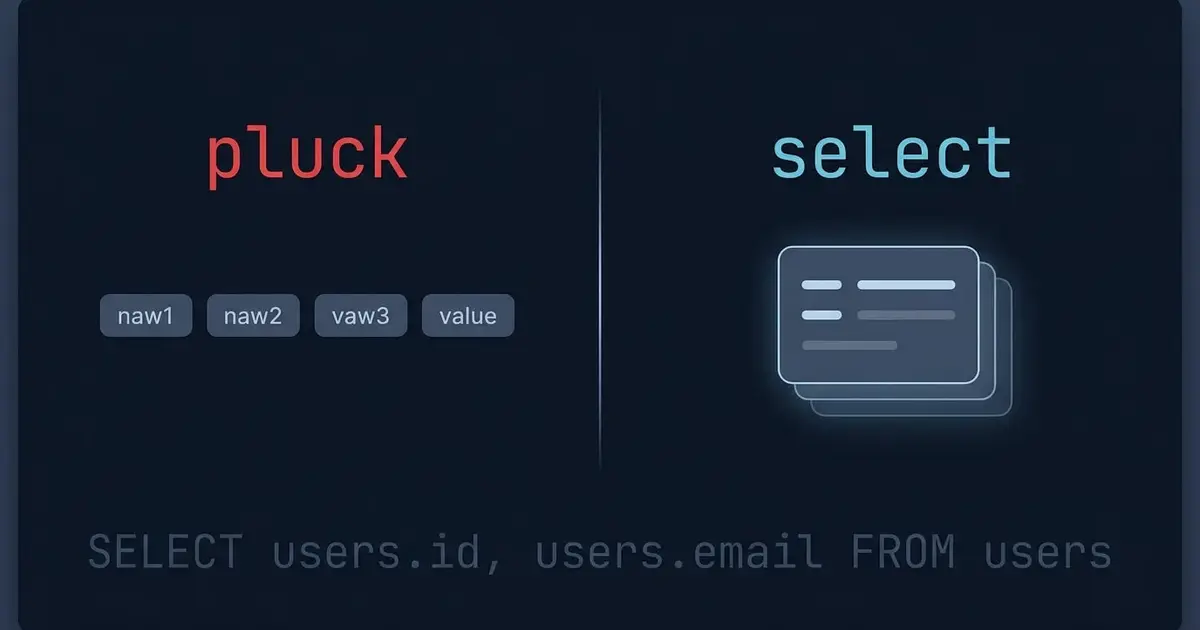
Most Rails developers learn where, order, and find early, then keep using them for years without thinking much about what comes back from the database. That is fine until your users table grows past a few hundred thousand rows and a page that "just lists names" starts taking two seconds to render.
A large part of that cost has nothing to do with your indexes or your server. It comes from asking the database for more data than you need, then asking Ruby to build objects you were never going to use.
Active Record gives you two direct tools for that problem: pluck and select. They look similar, they are often used interchangeably in blog posts, and they do genuinely different things. This guide walks through how each one works, what SQL they generate, what Ruby values they return, and how to pick the right one without guessing.
Why Selecting Only the Columns You Need Matters
When you write a query like this:
User.where(active: true)
Active Record generates:
SELECT "users".* FROM "users" WHERE "users"."active" = TRUE
That SELECT "users".* is doing more work than it looks like. Three separate things happen:
- The database reads every column of every matching row, including the ones you never touch.
- Those columns travel across the network from the database server to your application server.
- Active Record instantiates a full
Userobject for every row, with a complete attribute hash, dirty tracking state, and type casting for each column.
For a table with ten small columns and fifty rows, none of this matters. For a table with a text column holding article bodies, a JSON column holding settings, and 50,000 matching rows, all three steps get expensive.
The third step is usually the one developers underestimate. Building Active Record objects is not free. Each object allocates memory, runs type casting on every attribute, and keeps a copy of the original values so changed? can work later. If you asked for 50,000 users only to call user.email on each one, you paid for all of that machinery and used one column.
Selecting fewer columns attacks all three costs at once. That is the shared idea behind pluck and select. Where they differ is what you get back on the Ruby side, and that difference drives almost every decision about which one to reach for.
If you want the wider picture on query cost before going deeper here, our guide on how to optimize Active Record queries in Rails covers the surrounding techniques.
What Does pluck Do in Rails?
pluck asks the database for specific columns and returns plain Ruby values. No Active Record objects are created at all.
Plucking a Single Column
User.pluck(:email)
The generated SQL:
SELECT "users"."email" FROM "users"
The return value is a flat array of strings:
["[email protected]", "[email protected]", "[email protected]"]
That is the whole result. Not User objects with an email attribute, not a relation you can keep chaining. A plain Array of the values in that column, in whatever order the query returned them.
pluck works on a relation just as well as on the model class, which is where it earns its keep:
User.where(active: true).order(:created_at).pluck(:email)
SELECT "users"."email" FROM "users"
WHERE "users"."active" = TRUE
ORDER BY "users"."created_at" ASC
All the scoping you built up with where and order is respected. pluck simply replaces the SELECT clause with the columns you named and runs the query immediately.
Plucking Multiple Columns
Pass more than one column, and you get an array of arrays, one inner array per row, with values in the order you asked for them:
User.where(active: true).pluck(:id, :email)
SELECT "users"."id", "users"."email" FROM "users" WHERE "users"."active" = TRUE
[[1, "[email protected]"], [2, "[email protected]"], [3, "[email protected]"]]
This pairs nicely with Ruby destructuring, which keeps the code readable:
User.where(active: true).pluck(:id, :email).each do |id, email|
  UserMailer.weekly_digest(id, email).deliver_later
end
And if you want a hash instead of nested arrays, to_h does the job because each inner array has exactly two elements:
emails_by_id = User.pluck(:id, :email).to_h
# => { 1 => "[email protected]", 2 => "[email protected]" }
pluck Ends the Chain
This is the single most important behavioral fact about pluck: it is a terminal method. It runs the query and hands you an Array. You cannot keep chaining Active Record methods onto the result.
User.pluck(:id).where(active: true)
# NoMethodError: undefined method `where' for an instance of Array
Order matters. Every scope you want applied has to come before pluck:
User.where(active: true).limit(100).pluck(:id) # correct
There is also a small companion method worth knowing. When you want a single value from a single row, pick is the cleaner version of pluck plus first:
User.where(email: "[email protected]").pick(:id)
# => 1
pick adds LIMIT 1 to the query rather than loading every match and discarding all but one, so it is the better choice whenever you expect exactly one row.
What Does select Do in Rails?
select also narrows the SELECT clause, but it returns Active Record objects. They are real model instances, just partially populated: only the attributes you asked for are present.
Selecting a Single Column
User.select(:email)
SELECT "users"."email" FROM "users"
The SQL is identical to the pluck version. The Ruby side is not:
#<ActiveRecord::Relation [#<User id: nil, email: "[email protected]">, ...]>
You get an ActiveRecord::Relation containing User instances. Each one responds to email normally, and to any instance method your model defines that only depends on email:
class User < ApplicationRecord
  def email_domain
    email.split("@").last
  end
end

User.select(:email).map(&:email_domain)
# => ["example.com", "example.com", "example.com"]
That is the headline advantage of select. Your model's behavior comes along for the ride.
Selecting Multiple Columns
User.select(:id, :name, :email).where(active: true)
SELECT "users"."id", "users"."name", "users"."email"
FROM "users" WHERE "users"."active" = TRUE
Each returned object exposes exactly those three attributes. This is a very common pattern for index pages, dropdown data, and anything that renders a list without touching heavy columns.
select Returns a Relation, So It Keeps Chaining
Unlike pluck, select is lazy. It does not hit the database when you call it. It adds to the query and hands back a relation, so you can keep building:
User.select(:id, :name).where(active: true).order(:name).limit(20)
Position in the chain does not matter for correctness here. These two produce the same SQL:
User.select(:id, :name).where(active: true)
User.where(active: true).select(:id, :name)
Both are fine. Pick whichever reads better in context. Most teams settle on putting select near the end so the intent of the query, the filtering, reads first.
There is one place where order genuinely matters, and it is worth remembering: calling select twice appends columns rather than replacing them.
User.select(:id).select(:email)
# SELECT "users"."id", "users"."email" FROM "users"
If you build queries across scopes or service objects, that additive behavior can quietly widen a query you thought you had narrowed.
The Core Difference: Plain Values vs Active Record Objects
Everything else in this article follows from one sentence. pluck returns data. select returns objects.
Put them side by side:
User.pluck(:id, :name)
# => [[1, "Ana"], [2, "Marc"]]
# Class: Array

User.select(:id, :name)
# => #<ActiveRecord::Relation [#<User id: 1, name: "Ana">, #<User id: 2, name: "Marc">]>
# Class: ActiveRecord::Relation
The SQL is the same. The Ruby is not remotely the same.
With pluck you get raw values you can pass around, serialize, sum, or feed into another service. You skipped object instantiation entirely, which is the bulk of the Ruby-side cost in a large query.
With select you get model instances, which means:
- Instance methods work.
- Associations can still be traversed, assuming the foreign key was selected.
- Serializers, decorators, and view partials that expect a
Userkeep working. - The result is still a relation, so it composes with the rest of Active Record.
There is a second, less obvious consequence of select returning a relation: it can be used as a subquery. This is one of the most practical reasons to know the difference.
# Loads every matching id into Ruby memory, then sends them all back as a list
Post.where(user_id: User.where(active: true).pluck(:id))
# SELECT ... WHERE "posts"."user_id" IN (1, 2, 3, ..., 48000)

# Stays entirely in the database as a single query
Post.where(user_id: User.where(active: true).select(:id))
# SELECT ... WHERE "posts"."user_id" IN (SELECT "users"."id" FROM "users" WHERE "users"."active" = TRUE)
The pluck version runs two queries and moves every id across the wire. The select version runs one. When a set is small, this hardly registers, and when it is large, the difference is dramatic. Reach for select inside where conditions as a default habit.
Accessing Attributes You Did Not Select
This is the trap that catches people the first week they start using select, and it deserves its own section.
user = User.select(:id, :name).first
user.name
# => "Ana"

user.email
# ActiveModel::MissingAttributeError: missing attribute 'email' for User
Active Record does not silently return nil and it does not lazily fetch the missing column. It raises, because guessing would hide bugs. The object genuinely does not have that data.
The same applies to the primary key, which is easy to forget:
user = User.select(:name).first
user.id
# ActiveModel::MissingAttributeError: missing attribute 'id' for User
And it cascades into anything that depends on the missing attribute:
user = User.select(:id, :name).first
user.posts
# Works, because posts are found by users.id, and id was selected

post = Post.select(:id, :title).first
post.user
# ActiveModel::MissingAttributeError: missing attribute 'user_id' for Post
Two practical rules follow from this:
- Always include
:idunless you have a specific reason not to. Rendering, routing, caching, anddom_idall depend on it. - Include the foreign keys for any association you plan to traverse.
Post.select(:id, :title, :user_id, :published_at).includes(:user)
One more consideration: partially loaded objects are not safe to save. Calling update or save on an object missing attributes can raise, and depending on the model's callbacks and validations it may misbehave in ways that are annoying to debug. Treat selected objects as read-only unless you deliberately selected everything needed to write them back.
Using pluck with Calculations and SQL Expressions
pluck is not limited to column names. It can carry database expressions, which is useful when you want the database to do arithmetic rather than shipping rows to Ruby for it.
Because raw SQL strings in pluck are a potential injection vector, modern Rails requires you to mark them explicitly with Arel.sql:
Order.pluck(Arel.sql("SUM(total_cents)"))
# => [1842500]
Without Arel.sql, Rails raises ActiveRecord::UnknownAttributeReference for anything that is not recognizably a plain column reference. That protection exists for a reason: never interpolate user input into that string. Use bound parameters in where for anything user-controlled, and keep Arel.sql for static SQL you wrote yourself.
pluck pairs particularly well with group, giving you compact aggregate results:
Order.where(status: "paid")
     .group(:user_id)
     .pluck(:user_id, Arel.sql("SUM(total_cents)"))
# => [[1, 24500], [2, 118000], [3, 9900]]
SELECT "orders"."user_id", SUM(total_cents)
FROM "orders" WHERE "orders"."status" = 'paid'
GROUP BY "orders"."user_id"
One query, aggregated in the database, returned as simple arrays. Doing the same with select would hand you Order objects carrying a virtual sum_total_cents attribute, which is more machinery than the task needs.
That said, when you want a single aggregate, Active Record's dedicated calculation methods are clearer than pluck:
Order.where(status: "paid").sum(:total_cents)
Order.where(status: "paid").count
Order.where(status: "paid").average(:total_cents)
Use pluck with expressions when you need several values per group, and use sum, count, average, minimum, or maximum when you need one number.
distinct composes with pluck as you would expect:
User.distinct.pluck(:country)
# SELECT DISTINCT "users"."country" FROM "users"
# => ["Haiti", "Canada", "France"]
Using pluck with Joins and Associations
pluck reads columns from any table in the query, not just the model you started from. Combined with joins, it becomes a fast way to pull a flat report out of related tables.
Post.joins(:user)
    .where(published: true)
    .pluck("posts.title", "users.name")
# => [["Rails caching basics", "Ana"], ["Indexing in practice", "Marc"]]
SELECT "posts"."title", "users"."name"
FROM "posts" INNER JOIN "users" ON "users"."id" = "posts"."user_id"
WHERE "posts"."published" = TRUE
Notice the fully qualified column names. Once a join is in play, qualify everything. Both tables have id, both may have created_at, and an unqualified :id will either resolve to the wrong table or raise an ambiguity error depending on your database. Qualifying is cheap insurance.
The choice of join type changes which rows appear, and that affects your plucked results directly. A joins drops authors with no posts, while a left_joins keeps them with nil values. If that distinction is not second nature yet, our breakdown of joins vs left joins in Rails covers it in detail.
pluck also works straight off an association:
user = User.find(1)
user.posts.pluck(:title)
# SELECT "posts"."title" FROM "posts" WHERE "posts"."user_id" = 1
# => ["Rails caching basics", "Background jobs with Solid Queue"]
There is a subtlety here that is easy to miss. If the association is already loaded, pluck will read from the in-memory records instead of issuing a new query, as long as every column you named is a real attribute:
user = User.includes(:posts).find(1)
user.posts.pluck(:title) # no additional query, reads loaded records
That is a helpful optimization, and it is also a reminder that pluck does not always mean "hit the database."
Why map Is Not a Replacement for pluck
You will see this in a lot of older codebases:
User.all.map(&:email)
It returns the same array of strings as User.pluck(:email), so it looks equivalent. It is not.
-- User.all.map(&:email)
SELECT "users".* FROM "users"

-- User.pluck(:email)
SELECT "users"."email" FROM "users"
The map version reads every column, transfers every column, instantiates a full User object per row, and then throws all of it away except one string. On a large table with wide rows, this is the difference between a fast query and a memory spike.
So the rule is: when your only goal is to get raw values out of the database, use pluck.
The rule inverts when the values are not raw database columns. pluck can only ask the database for things the database knows about. If your transformation lives in Ruby, map is correct:
# Correct: full_name is a Ruby method, not a column
User.select(:id, :first_name, :last_name).map(&:full_name)

# Correct: formatting is a Ruby concern
Order.select(:id, :total_cents).map { |o| o.total_cents / 100.0 }

# Wrong: this loads everything to get one column
Order.all.map(&:total_cents)
There is also a middle ground worth naming. If the relation is already loaded for another reason, map on it is free, while pluck on a relation with computed columns may issue a second query. Do not blindly replace every map with pluck. Replace the ones that are pulling raw columns out of a fresh query.
Common Mistakes When Using pluck
Calling pluck inside a loop. This is an N+1 problem wearing a different hat.
# Bad: one query per user
users.each do |user|
  titles = user.posts.pluck(:title)
end

# Better: one query total
titles_by_user = Post.where(user_id: users.map(&:id))
                     .pluck(:user_id, :title)
                     .group_by(&:first)
Plucking a huge column set into memory. pluck avoids object instantiation, but the array itself still lives in your process. Post.pluck(:body) on a million-row table will hurt. For genuinely large result sets, batch. Our comparison of find_each vs each in Rails explains why batching matters and when to reach for it.
Using pluck inside a where clause. Covered above, and worth repeating because it is so common:
Order.where(user_id: User.active.pluck(:id))  # two queries, big IN list
Order.where(user_id: User.active.select(:id)) # one query, subquery
Chaining after pluck. You have an Array, not a relation. where, order, and limit are gone. Apply them before.
Forgetting to qualify columns in joined queries. With a join in play, pluck(:id) is ambiguous. Write pluck("users.id").
Assuming pluck respects ordering you did not specify. Without an explicit order, the database can return rows in any order it likes. If the order matters, say so.
Common Mistakes When Using select
Accidentally calling Ruby's Enumerable#select. This is the big one, because it silently works and silently loads your whole table.
# Ruby's select: loads every user, filters in Ruby
User.select { |user| user.admin? }

# Active Record's select: narrows columns in SQL
User.select(:id, :name)

# What you actually wanted for filtering
User.where(admin: true)
Passing a block to select means Rails runs the query with no filtering, instantiates every record, and filters in Ruby. On a large table, the performance difference is enormous, and nothing in the code visibly signals it. Filtering belongs in where.
Omitting the primary key. select(:name) produces objects that raise on id, which breaks link_to, dom_id, caching keys, and most view code. Include :id by default.
Omitting foreign keys, then traversing associations. Post.select(:id, :title) followed by post.user raises, because user_id is missing. Select the foreign key when you plan to walk the relationship.
Assuming select prevents N+1 queries. It does not. It narrows columns, not queries. You still need includes, preload, or eager_load for associations.
Post.select(:id, :title, :user_id).includes(:user)
Trying to save partially loaded objects. Treat them as read-only. If you need to update, reload the full record first.
Forgetting that repeated select calls accumulate. Chaining select twice appends columns instead of replacing them, which can quietly undo the narrowing you intended.
Is pluck Faster Than select?
The honest answer is that pluck does less work on the Ruby side, and that is where the difference comes from. It is not a magic speed setting, and the gap depends entirely on your data.
For the same columns, both methods generate essentially the same SQL. The database does the same amount of work. What differs is what happens after the result set comes back:
pluckbuilds an array of type-cast values.selectbuilds one Active Record object per row, each with an attribute set, type casting, and original values retained for dirty tracking.
So pluck allocates less memory and skips a meaningful amount of per-row Ruby work. On a hundred rows, you will not notice. On a hundred thousand rows, in a request that runs constantly, you will.
Two caveats keep this honest.
First, both methods load their entire result into memory. pluck on a million rows is still a million entries in an array. Narrower is not the same as bounded, and batching is the answer for unbounded sets.
Second, the column reduction usually matters more than the object reduction when your table has wide rows. Skipping a large text column cuts network transfer and database I/O regardless of which method you use. select(:id, :title) and pluck(:id, :title) both win that part.
If the query itself is slow rather than the object building, neither method is your fix. Look at the query plan and the indexes instead, which our practical guide to database indexes in Rails walks through.
The reliable approach is the boring one: measure your actual query on your actual data before and after. Benchmark.measure in a console against production-like volume will tell you more than any general rule.
When to Use pluck and When to Use select
Reach for pluck when
- You need raw values and nothing else: IDs, emails, slugs, totals.
- You are feeding an external API, a CSV export, or a JSON payload.
- You are building a lookup hash or a set for comparison.
- You want grouped aggregates as plain data.
- You are pulling flat columns across a join for a report.
- The result is going straight into another Ruby computation with no model behavior involved.
# Export job
Order.where(created_at: 1.week.ago..)
     .pluck(:id, :total_cents, :status)

# Comparison set
existing_slugs = Post.pluck(:slug).to_set

# Grouped totals
Order.group(:status).pluck(:status, Arel.sql("COUNT(*)"))
Reach for select when
- You need model instances with methods, not raw values.
- You are rendering views, partials, or serializers that expect a model.
- You are passing the result to code that treats it as a
Useror aPost. - You need to keep chaining Active Record methods.
- You are using the result as a subquery inside
where. - You want the column savings without giving up the object layer.
# Index page: narrow columns, full model behavior
@posts = Post.select(:id, :title, :slug, :published_at, :user_id)
             .includes(:user)
             .where(published: true)
             .order(published_at: :desc)
             .limit(25)

# Subquery
Post.where(user_id: User.where(active: true).select(:id))
A useful mental shortcut: if the result is leaving Rails as data, use pluck. If the result is staying in Rails as a model, use select.
How to Inspect the SQL Active Record Generates
You do not have to guess what your queries are doing. Rails exposes the SQL in several ways, and checking it takes seconds.
to_sql on any relation. This is the fastest check. It does not run the query; it just shows you the SQL that would run.
User.select(:id, :name).where(active: true).to_sql
# => "SELECT \"users\".\"id\", \"users\".\"name\" FROM \"users\" WHERE \"users\".\"active\" = TRUE"
pluck has no to_sql because it returns an Array, not a relation. Inspect the relation first, then add pluck:
User.where(active: true).select(:email).to_sql
# then run User.where(active: true).pluck(:email)
explain for the query plan. When you want to know how the database will execute the query, not just what it says:
User.where(active: true).explain
User.where(active: true).explain(:analyze) # Rails 7 and later, actually runs it
This is where you find out whether an index is being used or whether the database is scanning the whole table.
Console logging. In rails console, send Active Record's log to standard output so every query prints as it runs:
ActiveRecord::Base.logger = Logger.new($stdout)
User.pluck(:email)
# D, [...] DEBUG -- :   (1.2ms)  SELECT "users"."email" FROM "users"
This is the only way to see what pluck actually sent, and it also reveals queries you did not know were happening, such as association loads triggered from a view.
The development log. tail -f log/development.log while clicking through your app shows every query in order, which makes N+1 patterns obvious. You will see the same query repeated with different IDs, over and over.
Make this a habit rather than a debugging step. Writing a query, checking to_sql, and confirming the columns match your intent takes about five seconds and catches most of the mistakes described in this article before they reach production.
Wrapping Up
pluck and select both narrow your SELECT clause, and that shared behavior is why they get confused. The decision is not really about speed. It is about what you want back.
pluck runs the query immediately and returns plain Ruby values, skipping object instantiation entirely. It ends the chain, it works well with joins and grouped aggregates, and it is the right call when data is leaving your models behind.
select stays lazy and returns Active Record objects carrying only the attributes you asked for. Your model methods keep working, the relation keeps chaining, and it can be dropped into a where clause as a subquery. The cost is that touching an unselected attribute raises, so include :id and any foreign keys you intend to use.
Start paying attention to which one a piece of code actually needs. It is a small habit, and it is one of the cheapest ways to keep your Rails queries intentional as your data grows.
