Rails Nested Attributes Explained
Learn Rails nested attributes with accepts_nested_attributes_for, fields_for, strong parameters, validations, and security.
By Jean Emmanuel Cadet • 19 min read
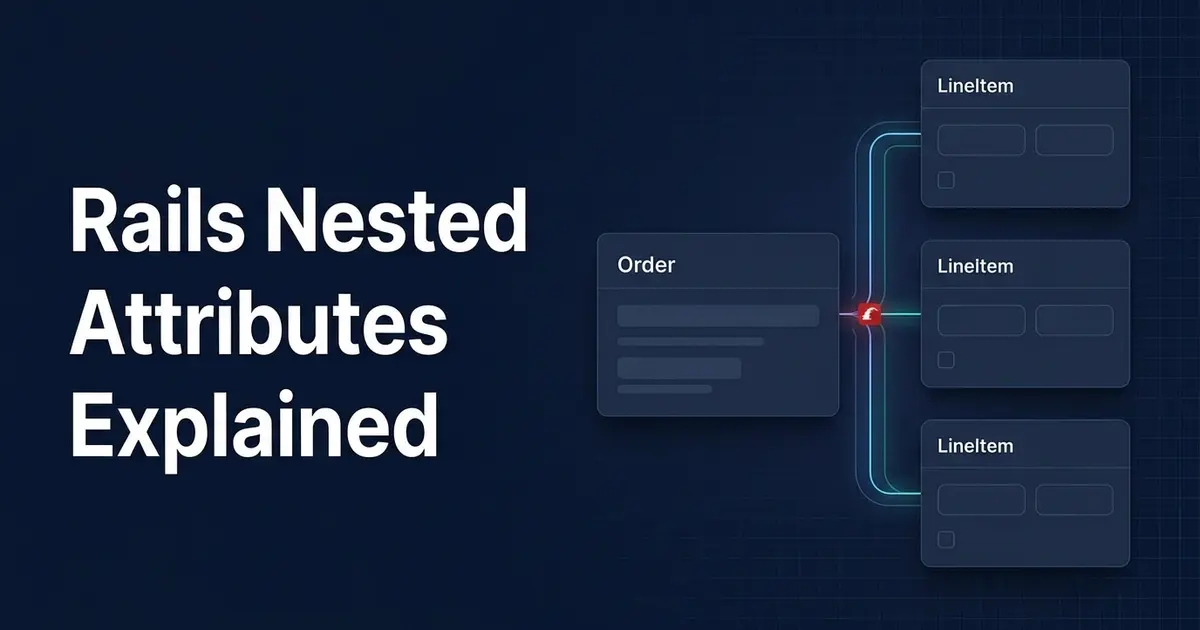
If you have ever built an order form, an invoice screen, or a recipe editor, you have probably wanted to save a parent record and its children from a single form. Rails nested attributes are the built-in way to do that. With one line, accepts_nested_attributes_for, your parent model can create, update, and destroy associated records from a single request.
Used well, Ruby on Rails nested attributes remove a lot of controller code. Used carelessly, they hide business logic, open security holes, and produce forms nobody wants to maintain. This guide walks through how Rails nested attributes work, how to build a Rails nested form with form_with and fields_for, how strong parameters fit in, and when you should reach for something else.
What Are Nested Attributes in Rails?
Nested attributes let you assign attributes to associated records through the parent model. Instead of saving an Order and then separately saving each LineItem, you pass the child data inside the parent’s attributes, and Rails handles the rest when you call save.
Under the hood, accepts_nested_attributes_for defines a writer method named after the association, such as line_items_attributes=. That writer builds new children, updates existing ones, or marks them for destruction depending on what you pass in. It also turns on autosave for the association, so changed children are saved together with the parent.
Why Rails Provides Nested Attributes
HTML forms are flat, but your data is not. A single “New Order” page often needs a customer, a shipping note, and several line items. Without nested attributes, you would write controller code that loops through submitted rows, builds each child, and handles failures by hand.
Rails gives you a convention instead: the parent accepts a *_attributes key, the form helpers generate matching field names, and Active Record validates and saves everything together. It is a good example of Rails trading a little magic for a lot of speed on common CRUD work.
Supported Associations
Nested attributes work with the main Active Record association types:
has_oneandbelongs_toaccept a single hash of attributes.has_manyaccepts an array of hashes, or a hash of hashes keyed by index (which is whatfields_forproduces).has_many :throughis possible, but in practice it is usually simpler and clearer to nest the join model directly. For example, anArticlethat has manyTaggingrecords can accept nested attributes fortaggingsrather than fortags.
If you want a refresher on how these associations are declared and behave, it helps to be comfortable with Active Record associations before going deeper.
The Example: Orders and Line Items
Throughout this article we will use an order with line items. An order belongs to a customer and has many line items. Each line item points at a product and has a quantity.
# app/models/order.rb
class Order < ApplicationRecord
  belongs_to :customer
  has_many :line_items, dependent: :destroy

  accepts_nested_attributes_for :line_items,
    allow_destroy: true,
    reject_if: :all_blank,
    limit: 10
end
# app/models/line_item.rb
class LineItem < ApplicationRecord
  belongs_to :order
  belongs_to :product

  validates :quantity, numericality: { only_integer: true, greater_than: 0 }
end
The Order model owns the relationship and declares that it accepts nested attributes for line_items. The LineItem model keeps its own validation, which matters later when we talk about errors.
One detail worth knowing: when you build a line item through an order, Rails normally detects the inverse association automatically, so the belongs_to :order presence check passes even though the order has not been saved yet. If you use a custom foreign_key or other unusual association options, add inverse_of explicitly.
How accepts_nested_attributes_for Works
Before touching forms, it helps to see the mechanics in the console. Once accepts_nested_attributes_for :line_items is declared, Order responds to line_items_attributes=.
Creating Associated Records
order = Order.new(
  customer_id: 1,
  line_items_attributes: [
    { product_id: 5, quantity: 2 },
    { product_id: 8, quantity: 1 }
  ]
)

order.line_items.size # => 2
order.save            # inserts the order, then both line items
Rails sees entries without an id, so it builds new LineItem records on the association. Nothing hits the database until you call save, and then the parent is saved first so the children can receive its foreign key.
Updating Existing Records
order = Order.find(1)

order.update(
  line_items_attributes: [
    { id: 41, quantity: 5 }
  ]
)
When an entry includes an id, Rails looks that record up inside the parent’s association and updates it. This lookup is scoped to the parent, which is an important security property we will come back to. If the id does not belong to this order, Rails raises ActiveRecord::RecordNotFound.
Destroying Associated Records
order.update(
  line_items_attributes: [
    { id: 41, _destroy: "1" }
  ]
)
With allow_destroy: true, a truthy _destroy value marks the child for destruction, and Rails deletes it when the parent saves. Without allow_destroy: true, the _destroy key is ignored and nothing is removed. Note that _destroy is unrelated to the dependent: :destroy option. The first removes individual children during an update, and the second removes all children when the parent itself is destroyed.
accepts_nested_attributes_for Options
The options on accepts_nested_attributes_for define what your form is allowed to do. Each one is a trade-off between convenience and control.
allow_destroy: true
This enables removing children through the _destroy field. It is useful for any form where users can delete rows. The trade-off is that you are now allowing deletion through an update request, so you should treat it as a permission worth protecting (more on that in the security section). If your form never removes children, leave it off.
reject_if: :all_blank
Real forms often include an extra empty row for new records. reject_if: :all_blank tells Rails to skip any new entry where every attribute is blank (it ignores _destroy when making that check).
accepts_nested_attributes_for :line_items, reject_if: :all_blank
You can also pass a lambda for custom rules:
accepts_nested_attributes_for :line_items,
  reject_if: ->(attributes) { attributes["product_id"].blank? }
Be careful here. reject_if silently discards rows, so it can hide user mistakes. If a user picks a quantity but forgets the product, the lambda above drops the row without any error. Also, :all_blank only works if the fields really are blank. If a column has a database default, such as a quantity defaulting to 1, an “empty” row will not look blank and will be saved or fail validation.
limit: 10
The limit option caps how many records can be submitted in one request.
accepts_nested_attributes_for :line_items, limit: 10
This is a useful guardrail against oversized or abusive requests. Know that exceeding it raises ActiveRecord::NestedAttributes::TooManyRecords, which is an exception, not a validation error. If you use limit, rescue it in the controller or make sure your form cannot realistically exceed it. It counts the entries in the submitted parameters, not the total number of records already in the database.
update_only: true
This option applies to has_one (and belongs_to) associations. We cover it in the has_one section below, because it only makes sense there.
Rails Nested Forms with form_with and fields_for
Now to the part most developers search for: how to build a Rails nested form. The helper that makes it work is fields_for, which renders form fields for an associated object and names them so Rails can turn them into nested parameters.
The Controller Setup
# app/controllers/orders_controller.rb
class OrdersController < ApplicationController
  before_action :set_order, only: %i[edit update]
  before_action :load_products, only: %i[new create edit update]

  def new
    @order = Order.new
    @order.line_items.build
  end

  def create
    @order = Order.new(order_params)

    if @order.save
      redirect_to @order, notice: "Order created."
    else
      render :new, status: :unprocessable_entity
    end
  end

  def edit
    @order.line_items.build
  end

  def update
    if @order.update(order_params)
      redirect_to @order, notice: "Order updated."
    else
      render :edit, status: :unprocessable_entity
    end
  end

  private

  def set_order
    @order = Order.includes(:line_items).find(params[:id])
  end

  def load_products
    @products = Product.order(:name)
  end
end
Calling @order.line_items.build in new and edit gives the form one blank row to render. Because we used reject_if: :all_blank, that blank row is ignored if the user leaves it empty. We load the product list once in a before_action, so the form does not query it again for every row.
The Form
<%# app/views/orders/_form.html.erb %>
<%= form_with model: order do |form| %>
  <% if order.errors.any? %>
    <div class="errors">
      <h2><%= pluralize(order.errors.count, "error") %> prevented this order from saving:</h2>
      <ul>
        <% order.errors.full_messages.each do |message| %>
          <li><%= message %></li>
        <% end %>
      </ul>
    </div>
  <% end %>

  <div>
    <%= form.label :customer_id %>
    <%= form.collection_select :customer_id, Customer.order(:name), :id, :name,
          prompt: "Select a customer" %>
  </div>

  <h3>Line items</h3>

  <%= form.fields_for :line_items do |item_form| %>
    <div class="line-item">
      <%= item_form.collection_select :product_id, @products, :id, :name,
            prompt: "Choose a product" %>
      <%= item_form.number_field :quantity, min: 1 %>

      <% item_form.object.errors.full_messages.each do |message| %>
        <p class="field-error"><%= message %></p>
      <% end %>

      <% if item_form.object.persisted? %>
        <%= item_form.check_box :_destroy %>
        <%= item_form.label :_destroy, "Remove" %>
      <% end %>
    </div>
  <% end %>

  <%= form.submit %>
<% end %>
form_with model: order builds the form for the parent. Inside it, form.fields_for :line_items loops over order.line_items and yields a child form builder for each one. For persisted line items, Rails also emits a hidden id field automatically, which is how the update knows which record each row represents.
How Rails Names the Fields
The child fields are named with the pattern order[line_items_attributes][INDEX][field]. For an order with one saved line item and one new row, the submitted parameters look like this:
{
  "order" => {
    "customer_id" => "3",
    "line_items_attributes" => {
      "0" => {
        "product_id" => "12",
        "quantity" => "2",
        "_destroy" => "0",
        "id" => "41"
      },
      "1" => {
        "product_id" => "",
        "quantity" => "",
      }
    }
  }
}
The numeric keys are just indexes to keep rows grouped together. They do not correspond to record ids. Notice that _destroy comes through as "0" unless the user ticks the box, because check_box sends a hidden "0" value alongside the checkbox’s "1". The second row is blank, so reject_if: :all_blank will skip it.
The Full Flow, Step by Step
- The user opens the edit page. The controller loads the order and its line items and builds one blank row.
fields_forrenders one set of inputs per line item, plus a hiddenidfor each saved one.- The user changes a quantity, ticks “Remove” on another row, and fills in the blank row.
- The browser submits the form, and Rails assembles the nested
line_items_attributeshash. - Strong parameters filter that hash down to the allowed keys.
@order.update(order_params)callsline_items_attributes=, which updates the row with anid, marks the_destroyrow for deletion, and builds the new row.- Rails validates the order and the changed children, then saves everything. If validation fails, nothing is written and the form is re-rendered with errors.
Adding Rows Dynamically
The blank row approach works without JavaScript but only gives users one new row at a time. For an “Add line item” button, a common pattern is to render a <template> using a placeholder index and replace it with a unique value in a small Stimulus controller.
<template data-nested-form-target="template">
  <%= form.fields_for :line_items, LineItem.new, child_index: "NEW_RECORD" do |item_form| %>
    <%= render "line_item_fields", item_form: item_form %>
  <% end %>
</template>
// app/javascript/controllers/nested_form_controller.js
import { Controller } from "@hotwired/stimulus"

export default class extends Controller {
  static targets = ["template", "container"]

  add(event) {
    event.preventDefault()
    const html = this.templateTarget.innerHTML.replaceAll("NEW_RECORD", Date.now().toString())
    this.containerTarget.insertAdjacentHTML("beforeend", html)
  }
}
Each added row gets a unique index, so the submitted keys never collide. Removing a not-yet-saved row is safe too: Rails skips new records that arrive with a truthy _destroy when allow_destroy is enabled.
Rails Strong Parameters for Nested Attributes
Nested attributes will not work until you permit them. Strong parameters need to know about the *_attributes key and every field inside it.
def order_params
  params.require(:order).permit(
    :customer_id,
    line_items_attributes: [:id, :product_id, :quantity, :_destroy]
  )
end
Rails 8 also offers params.expect, which is stricter about the shape of the input. For an array of nested hashes you wrap the permitted keys in double brackets:
def order_params
  params.expect(
    order: [:customer_id, line_items_attributes: [[:id, :product_id, :quantity, :_destroy]]]
  )
end
Both styles work with the index-keyed hash that fields_for produces. Use whichever your project already follows.
Why id and _destroy matter:
idtells Rails which existing record to update. If you forget it, Rails treats the row as new and creates a duplicate child instead of editing the existing one._destroyis the flag that deletes a child. If you forget to permit it, the checkbox appears to work in the browser, but the parameter is filtered out and nothing is deleted.
Neither mistake raises an error by default, which is what makes them frustrating to debug. If something silently does not save, check your server log for “Unpermitted parameters” first. If you want a deeper walkthrough of the basics, read our guide on Rails strong parameters.
Nested Attributes with has_one and has_many through
So far we have focused on has_many, which is the most common case. The other associations follow the same idea with a few differences.
has_one
Suppose a user has one profile:
class User < ApplicationRecord
  has_one :profile, dependent: :destroy
  accepts_nested_attributes_for :profile, update_only: true
end
The form uses fields_for :profile and submits a single hash under profile_attributes, not a keyed collection:
{ "user" => { "email" => "[email protected]", "profile_attributes" => { "bio" => "Hello" } } }Here is where update_only: true earns its place. Without it, a has_one hash that arrives without an id builds a brand new profile and replaces the old one. With update_only: true, Rails updates the existing profile if there is one and only builds a new one if none exists. For a one-to-one record that users edit repeatedly, that is almost always what you want. Remember to permit profile_attributes: [:bio] in strong parameters.
has_many :through
For a many-to-many relationship, nest the join model rather than the far-side model. If a Course has many Enrollment records and many students through them, the form works with enrollments_attributes, because the join table row is the thing the form actually creates or removes. It keeps the parameters explicit and gives you a natural place for join-table attributes like role or joined_on.
Validations and Error Handling
Validations on associated records are one of the biggest reasons nested attributes are convenient. When you call save on the parent, Rails validates the parent and any new or changed children loaded through the association. Children marked for destruction are not validated.
If a child is invalid, the parent save returns false, and no changes are written for that call. Rails saves the parent and its autosaved children inside a single database transaction, so a failure during the save rolls the whole set back. Be careful not to stretch that claim too far: the transaction covers database writes made during the save. It does not undo side effects such as emails, background jobs enqueued outside the transaction, or calls to external services. If you want a closer look at how this behaves, see our practical guide to Rails transactions.
Child validation failures appear on the parent’s errors with a key that includes the association name:
order.errors.full_messages
# => ["Line items quantity must be greater than 0"]
If a form has several rows, that message does not say which row is wrong. Add index_errors: true to the association to include the row position in the error key:
has_many :line_items, dependent: :destroy, index_errors: true
For the best user experience, show errors next to the row that caused them. That is why the form above prints item_form.object.errors.full_messages inside each fields_for block: each child object keeps its own errors. When you re-render the form after a failed save, use status: :unprocessable_entity so Turbo displays the page correctly.
Child callbacks also run as part of this process. Each LineItem that is created, updated, or destroyed fires its own callbacks, so it is worth reviewing what Rails callbacks do before putting side effects in them.
Security Considerations
Nested attributes widen what a single request can do. A normal update call changes one record. A nested update can create, edit, and delete many records at once, so you need to be deliberate about what you allow.
Control what you permit. Every key you list inside line_items_attributes is writable by anyone who can submit the form. Do not permit sensitive fields such as unit_price, discount_cents, role, or order_id unless users are genuinely meant to set them. Calculate prices on the server from the product instead of trusting a submitted value.
Do not trust referenced ids. The nested id lookup is scoped to the parent, so a user cannot edit a line item that belongs to a different order. That is a useful safety net, but it does not protect the other ids in the request. A user can still submit any product_id they like, so verify that referenced records are ones this user is allowed to use.
Scope the parent. Everything above assumes the parent was loaded safely. Authorize the order itself, for example by loading it through the current user:
def set_order
  @order = current_user.orders.includes(:line_items).find(params[:id])
end
Treat _destroy as a permission. Permitting _destroy means anyone who can update the parent can delete its children. If only some users should be able to remove line items, either check that before calling update or strip _destroy from the permitted keys for everyone else.
Strong parameters are not authorization. Strong parameters decide which fields can be assigned. They say nothing about who is allowed to perform the action. You still need an authorization layer (a policy object, current_user scoping, or similar) to decide whether this user can touch this order and its children.
Performance Considerations
Nested forms are convenient for small sets of data, but their cost grows with the number of rows.
- Queries on render. Load children and their associations up front with
includes, as inOrder.includes(line_items: :product), so the edit form does not trigger an N+1 query for each row. If you want a consistent display order, define it once on the association or with a named scope (see our article on Rails scopes). - Repeated select options. Loading
Product.allinside each row’scollection_selectmultiplies queries and memory use. Load the collection once, as shown earlier. - Writes. Each new or changed child is its own
INSERTorUPDATE, with its own validations and callbacks. Ten rows is fine. Several hundred is slow, especially if validations such as uniqueness checks run a query per row. - Transaction size. One parent save wraps all the child writes in a single transaction. A very large nested save holds that transaction open longer, which increases lock time and the chance of conflicts.
- User experience. A page with dozens of editable rows is hard to use and easy to submit with mistakes. Long forms also produce large request bodies.
Using limit helps cap the worst case. If users routinely need to manage hundreds of child records, or you are importing data in bulk, a separate workflow is a better fit: edit children individually with their own controller, paginate them, or use a dedicated import process. For pure bulk inserts, methods like insert_all are much faster, with the trade-off that they skip validations and callbacks.
When to Use Nested Attributes
Nested attributes shine when the shape of the form matches the shape of the data. Good fits include:
- Simple parent-child forms, such as an order with line items or a recipe with ingredients.
- Managing a small number of associated records from a single page.
- Admin interfaces where speed of development matters more than polish.
- CRUD workflows where the children only make sense as part of the parent.
- Straightforward forms where it is easy to explain what a submit does.
If you can describe the whole operation in one sentence, such as “save this order and its line items,” nested attributes are probably a good choice.
When Not to Use Nested Attributes
The same feature becomes painful when the form stops being simple CRUD. Be cautious in these cases:
- Multi-step workflows, such as a checkout wizard where data is collected across several screens.
- Large numbers of associated records, where performance and usability suffer.
- Complicated business rules, such as stock checks, pricing logic, or approval steps that depend on several records at once.
- Unrelated operations in one request, where a single submit changes records across several models.
- Heavy authorization requirements, where each child needs its own permission check.
- External API calls, like charging a card or syncing to another system, which do not belong inside a model save.
- Business processes that deserve a name, because “place an order” is a use case, not a side effect of
update.
When you hit these limits, you have good alternatives:
- Service objects give a business process an explicit home. Our guide to Ruby on Rails service objects shows how to move multi-step logic out of models and controllers.
- Form objects (often built with
ActiveModel::Model) let you model a form that does not map one-to-one to a table, and handle validation and persistence in one place. - Explicit controllers for the child resource, such as
LineItemsController, let users add, edit, and remove children one at a time with simple requests. - Separate forms split a large screen into smaller, independent actions, which are easier to validate, authorize, and test.
Choosing one of these is not a sign that nested attributes failed. It is a sign that the workflow outgrew a pattern designed for simple parent-child forms.
Common Mistakes
Most nested attributes bugs fall into a short list:
- Forgetting to permit the nested key. If
line_items_attributesis not in yourpermitcall, Rails silently drops it. - Forgetting
idwhen updating. Existing rows are treated as new, and you get duplicates. - Forgetting
_destroywithallow_destroy. The checkbox does nothing because the parameter is filtered out. - Misunderstanding
reject_if. It discards rows without telling the user, and it does not trigger on fields with default values. - Hitting
limitunexpectedly. It raises an exception rather than adding a validation error. - Using nested attributes for overly complex workflows. If the model is full of conditional logic to support one form, step back.
- Building huge nested forms. Large forms are slow to render, slow to save, and hard to use.
- Ignoring authorization for associated records. Authorizing only the parent, and trusting referenced ids, leaves gaps.
- Assuming strong parameters provide authorization. They filter fields, not people.
- Allowing users to create or modify records they should not control. Permit only the fields they need, and check ownership of anything referenced by id.
Conclusion
Rails nested attributes are a practical tool for straightforward parent-child forms and CRUD workflows. With accepts_nested_attributes_for, a fields_for block, and carefully permitted strong parameters, you can create, update, and remove associated records from one form with very little code. Pair that with validation errors shown next to the right row, and you get a Rails nested form that is easy to build and easy to understand.
The limits matter just as much. Permit only what users truly need, treat _destroy as a permission, and never mistake strong parameters for authorization. When a form starts hiding a complex business process, switch to a service object, a form object, or separate controllers. Rails nested attributes work best when they stay simple.
