Rails API Pagination: A Practical Guide
Learn how to paginate Rails APIs with Pagy, limit large responses, improve performance, and return useful pagination metadata.
By Jean Emmanuel Cadet • 18 min read
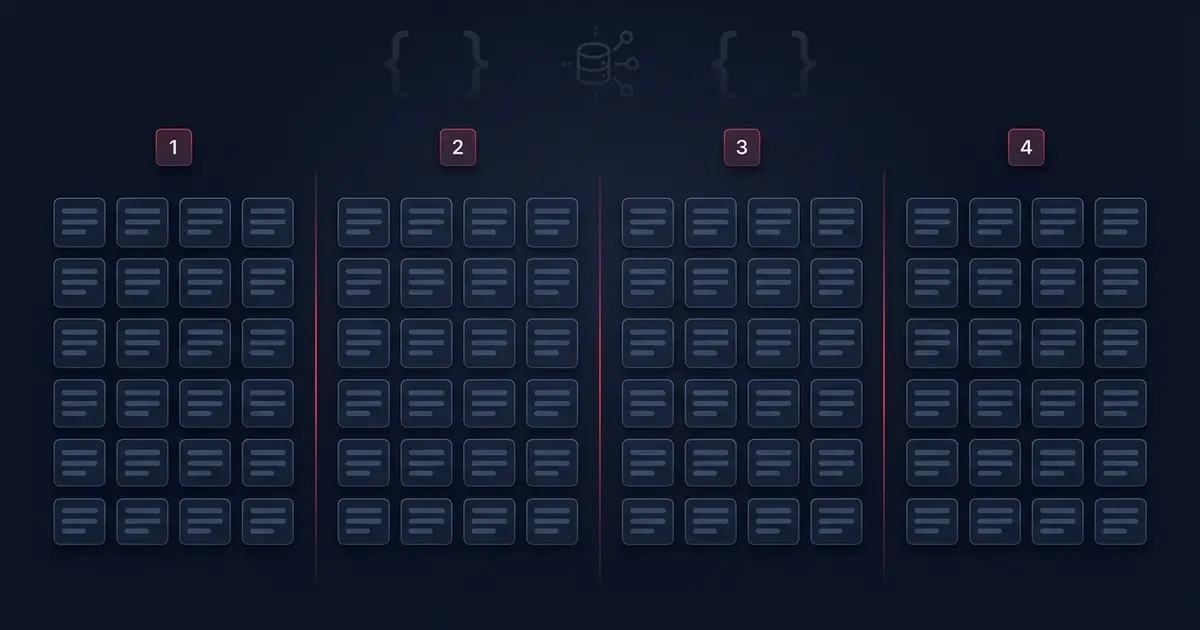
If you have ever built a Rails API endpoint that returns "all the things," you already know how this story ends. Everything works fine in development with your seed data of twenty records. Then production happens. Your articles table grows to fifty thousand rows, a client app requests GET /api/v1/articles, and suddenly your server is serializing tens of thousands of JSON objects into a single response that takes seconds to generate and megabytes to transfer.
This is the problem pagination solves. Instead of returning every record in a collection at once, a paginated API returns a manageable slice of records along with information the client can use to request the next slice. It sounds simple, and conceptually it is, but there are real decisions to make about how you implement it, what metadata you expose, and which pagination strategy fits your data.
When an API skips pagination entirely, a few things tend to go wrong. The database has to pull every matching row, which gets slower as the table grows. Rails has to instantiate and serialize every one of those records into JSON, which burns CPU and memory. The resulting payload has to travel over the network, which is especially painful for mobile clients on slower connections. And on the client side, rendering thousands of items into a UI at once is rarely what anyone actually wants.
Pagination fixes all of this. It keeps response sizes predictable, keeps database queries fast by limiting how many rows get pulled, and gives client applications a natural way to implement "load more" buttons, infinite scroll, or traditional page navigation. It is one of those features that seems optional right up until your dataset grows past a few hundred records, at which point it becomes mandatory.
In this guide, you will build a paginated Rails JSON API from the ground up. You will start with a basic unpaginated endpoint, add the Pagy gem for fast and lightweight pagination, return useful pagination metadata in your JSON responses, handle page and per-page parameters safely, and think through offset versus cursor pagination so you can choose the right approach for your own application. By the end, you will have a production-ready pattern you can drop into any Rails API.
What Is API Pagination?
Pagination is the practice of splitting a large collection of records into smaller, fixed-size chunks called pages, and returning one page at a time in response to a request. Instead of asking "give me everything," a paginated request asks "give me page 2, with 25 records per page."
Conceptually, pagination revolves around a few key ideas. A page is a subset of the full collection, identified by a page number. Page size, often called per_page or limit, defines how many records belong on each page. The total record count tells the client how many items exist across the entire collection, and total pages tells the client how many pages it would take to see everything. Together, these numbers let a client build navigation controls, calculate progress, or decide whether there is more data to fetch.
A simple paginated JSON response for an articles endpoint might look like this:
{
  "articles": [
    { "id": 101, "title": "Getting Started with Rails 8", "published_at": "2026-01-15" },
    { "id": 100, "title": "Understanding Active Record Associations", "published_at": "2026-01-10" }
  ],
  "pagination": {
    "page": 1,
    "per_page": 2,
    "total_pages": 25,
    "total_count": 50
  }
}
Notice that the response contains two distinct pieces: the actual data (articles) and metadata about the collection as a whole (pagination). This separation matters. The client does not have to guess how many pages exist or make an extra request just to find out. It is right there in the response.
It is worth being precise about what makes this different from simply limiting the number of records returned. A naive limit(25) on a query will always return the same first 25 records no matter how many times you call it. That is not pagination, that is just a cap. True pagination requires a way to move through the collection: page 1, then page 2, then page 3, and so on, until the client has seen every record it wants to see. This is why pagination always involves at least two dimensions, a size and a position, whether that position is expressed as a page number or something more sophisticated like a cursor.
Why Rails APIs Need Pagination
It is tempting to skip pagination early in a project. The dataset is small, the team is moving fast, and adding pagination feels like premature optimization. But the problems pagination solves show up faster than most developers expect, and they compound in ways that are annoying to fix after the fact.
Large JSON responses are the most visible symptom. A response that returns ten thousand articles, each with a title, body, author, and timestamps, can easily balloon into several megabytes of JSON. Generating that payload takes real CPU time on the server, and parsing it takes real CPU time on the client. Mobile clients in particular suffer here, since parsing large JSON blobs on constrained hardware can noticeably slow down an app.
Slow database queries follow close behind. Pulling every row from a table, especially one with joins or eager loaded associations, gets slower as the table grows. A query that took ten milliseconds against a thousand rows might take several seconds against a million rows if there is no limit in place. Pagination keeps your LIMIT and OFFSET clauses doing the heavy lifting the database engine is designed to do efficiently.
High memory usage is a quieter but equally serious issue. When Rails loads an Active Record relation into memory, it instantiates a full Ruby object for every row. Ten thousand Article objects, each carrying attributes, associations, and Active Record internals, adds up to a meaningful chunk of memory. Under load, with many concurrent requests each pulling large collections, this is a common way Rails processes run out of memory and crash.
Slow network transfers are the natural consequence of large payloads. Even a well-optimized JSON response takes time to travel over the network, and that time scales with payload size. A user on a fast office connection might not notice, but a user on a spotty mobile connection absolutely will.
Poor mobile performance ties several of these threads together. Mobile apps often have limited memory, slower processors, and less reliable networks than desktop clients. An API that assumes unlimited response sizes puts mobile clients at a real disadvantage.
Increased server load rounds out the list. Every unpaginated request that pulls a large dataset ties up a web worker for longer than it needs to, reducing the number of concurrent requests your server can handle. Under traffic spikes, this can turn a minor inefficiency into a full outage.
Finally, there is the frontend user experience itself. Nobody actually wants to scroll through ten thousand articles in a single list. Pagination, whether presented as numbered pages, a "load more" button, or infinite scroll, gives users a structured way to consume large collections without being overwhelmed.
The takeaway is straightforward. Any endpoint that returns a collection, and where that collection could realistically grow past a few hundred records, should be paginated from the start. It is far easier to build pagination in from day one than to retrofit it once client applications already depend on an unpaginated response shape.
Offset Pagination vs Cursor Pagination
There are two major approaches to pagination that you will encounter in Rails APIs, and choosing between them matters more than it might first appear.
Offset pagination is the approach most developers learn first. The client specifies a page number and a page size, and the server translates that into a LIMIT and OFFSET query. Page 1 with 25 per page becomes LIMIT 25 OFFSET 0. Page 2 becomes LIMIT 25 OFFSET 25. Page 3 becomes LIMIT 25 OFFSET 50, and so on.
Article.order(created_at: :desc).limit(25).offset(50)
This is intuitive, easy to implement, and easy for clients to reason about. Users can jump directly to page 7 without having fetched pages 1 through 6 first. The downside shows up at scale. As the offset grows large, the database still has to scan and discard all the rows before the offset, which gets progressively slower on very large tables. Offset pagination is also vulnerable to a subtle correctness issue: if records are inserted or deleted while a user is paging through results, items can shift between pages, causing the user to see duplicates or miss records entirely.
Cursor pagination takes a different approach. Instead of a page number, the client sends a cursor, typically an identifier or timestamp from the last record it saw, and the server returns the next batch of records that come after that cursor.
Article.where("id < ?", last_seen_id).order(id: :desc).limit(25)
Because cursor pagination does not rely on OFFSET, it stays fast even on very large tables, since the database can use an index to jump directly to the right starting point rather than scanning past discarded rows. It is also more resilient to data changing mid-pagination, since each request is anchored to a specific record rather than a shifting numeric position. The tradeoff is that cursor pagination does not support jumping to an arbitrary page. Clients can only move forward or backward from a known cursor, which works well for infinite scroll and "load more" patterns but poorly for traditional numbered page navigation.
In practice, offset pagination is appropriate for typical CRUD-style admin interfaces, dashboards, and APIs where datasets are moderate in size and users expect numbered pages with the ability to jump around. Cursor pagination is the better choice for very large or fast-growing tables, activity feeds, real-time data, or any situation where new records are being inserted frequently while users are actively paging through results.
Choosing a Pagination Strategy
With both approaches on the table, it helps to compare them directly across the dimensions that actually matter for a typical Rails application.
On simplicity, offset pagination wins clearly. It maps naturally to page numbers, which is the mental model most developers and most API consumers already have. Cursor pagination requires clients to track and pass along an opaque cursor value, which is a slightly bigger lift on the client side.
On performance at scale, cursor pagination wins. Offset pagination degrades as the offset grows, while cursor pagination stays consistently fast because it always starts from an indexed position rather than counting through discarded rows.
For large datasets specifically, cursor pagination is the safer default. If you expect a table to grow into the millions of rows, or if you are building a feed-style endpoint, cursor pagination will hold up better under load.
On stable ordering, cursor pagination again has the edge, since it is naturally resistant to the shifting-page problem that affects offset pagination when data changes between requests.
Database behavior favors cursor pagination for large tables, since indexed lookups outperform large offsets. For smaller tables, the difference is negligible.
For user experience, it depends on what you are building. If your UI needs numbered pages with the ability to jump to page 12, offset pagination is the only practical option. If your UI is an infinite scroll feed, cursor pagination fits more naturally and performs better.
On API complexity, offset pagination is simpler to implement, document, and reason about. Cursor pagination introduces more moving parts, including cursor encoding and decoding, which adds a small amount of overhead to the implementation.
For most typical Rails applications, and this includes the majority of internal admin panels, small to medium SaaS products, and content-driven sites like blogs or documentation platforms, offset pagination is the practical recommendation. It is simple, well understood, and performs perfectly well up to a scale that most applications never actually reach. Reach for cursor pagination specifically when you know a table will grow very large, when you are building a real-time or frequently updated feed, or when you have measured actual performance problems with offset pagination in production. The rest of this guide focuses on offset pagination using Pagy, since it is the right starting point for the overwhelming majority of Rails APIs.
Setting Up Pagination in a Rails API
Let's build this step by step. Imagine you are building a Rails 8 API that returns a collection of articles. Here is a basic unpaginated endpoint, the kind you might write before thinking about pagination at all.
class Api::V1::ArticlesController < ApplicationController
  def index
    articles = Article.all
    render json: articles
  end
end
This works fine with a handful of records, but as discussed above, it becomes a liability once the articles table grows. Let's fix that using Pagy, a lightweight and extremely fast pagination gem for Ruby and Rails.
Installing Pagy
Add Pagy to your Gemfile:
gem "pagy"
Then run:
bundle install
Pagy needs to be included in your controllers so its pagination helper methods are available. In Rails 8, the cleanest place to do this is your ApplicationController, or an Api::V1::BaseController if your API namespace has one.
class Api::V1::BaseController < ApplicationController
  include Pagy::Backend
end
Pagy::Backend gives you access to the pagy method inside your controllers, which handles the actual pagination logic against an Active Record relation.
Updating the Controller
Now let's rewrite the articles endpoint to use Pagy.
class Api::V1::ArticlesController < Api::V1::BaseController
  def index
    pagy, articles = pagy(Article.order(created_at: :desc))

    render json: {
      articles: articles.as_json(only: [:id, :title, :published_at]),
      pagination: pagy_metadata(pagy)
    }
  end
end
There is a lot packed into those two lines, so let's unpack it. The pagy method takes an Active Record relation, in this case Article.order(created_at: :desc), and returns two things: a Pagy object that holds pagination state, and the actual page of records as an Active Record relation limited to the current page size. Under the hood, Pagy is applying the equivalent of LIMIT and OFFSET for you, based on the current page and page size, which by default Pagy reads from page and items query parameters.
pagy_metadata(pagy) is a helper, available once you include Pagy::Backend, that converts the Pagy object into a plain hash of useful pagination information, which is exactly what you want to expose in a JSON API response.
Adding the JSON Serializer Extra
Pagy ships with an optional extra for JSON APIs that gives you a cleaner metadata hash tailored for API responses rather than HTML view helpers. To enable it, require it in an initializer.
# config/initializers/pagy.rb
require "pagy/extras/metadata"
With the metadata extra loaded, pagy_metadata(pagy) returns a hash that looks like this:
{
  "count": 50,
  "page": 1,
  "items": 25,
  "pages": 2,
  "last": 2,
  "in": 25,
  "from": 1,
  "to": 25,
  "prev": null,
  "next": 2
}
You will likely want to reshape this into a cleaner, more predictable format for your API consumers, which is exactly what a serializer or presenter is good for.
Returning Clean Pagination Metadata
Raw Pagy metadata is useful, but it is not always the shape you want to expose publicly. A cleaner, more conventional pagination block for an API response typically includes the current page, the page size, the total number of records, and the total number of pages. Here is a small helper method you can drop into your base controller to standardize this across every paginated endpoint.
class Api::V1::BaseController < ApplicationController
  include Pagy::Backend

  private

  def pagination_meta(pagy)
    {
      page: pagy.page,
      per_page: pagy.items,
      total_pages: pagy.pages,
      total_count: pagy.count
    }
  end
end
Now the controller action becomes cleaner and consistent with every other paginated endpoint in your API.
class Api::V1::ArticlesController < Api::V1::BaseController
  def index
    pagy, articles = pagy(Article.order(created_at: :desc))

    render json: {
      articles: ArticleSerializer.new(articles).as_json,
      pagination: pagination_meta(pagy)
    }
  end
end
This gives you a predictable response shape across your entire API. Every paginated endpoint returns the same pagination object structure, which makes life much easier for whoever is building the client, whether that is a mobile app, a frontend framework, or another team entirely.
Handling Pagination Parameters Safely
By default, Pagy reads the current page from a page query parameter and the page size from an items parameter, though you can rename these to whatever makes sense for your API, such as page and per_page.
# config/initializers/pagy.rb
Pagy::DEFAULT[:items] = 25
Pagy::DEFAULT[:size] = 7
The items default controls how many records appear per page when the client does not specify a size. It is worth setting a sensible default explicitly rather than relying on Pagy's built-in default, since the right page size varies a lot depending on what you are building. A mobile feed might want 10 to 20 records per page, while an admin table might comfortably handle 50 or more.
A critical detail that is easy to overlook is limiting how large a client-requested page size can be. Without a ceiling, nothing stops a client from requesting ?items=100000 and defeating the entire purpose of pagination. Pagy handles this with a max_items option.
def index
  pagy, articles = pagy(Article.order(created_at: :desc), items: params[:per_page], max_items: 100)

  render json: {
    articles: articles.as_json(only: [:id, :title, :published_at]),
    pagination: pagination_meta(pagy)
  }
end
With max_items: 100 in place, even if a client passes ?per_page=5000, Pagy will cap the actual page size at 100. This single line protects your database and your server memory from a class of accidental or malicious abuse that is easy to forget about until it causes an incident.
It is also worth validating that the page parameter, if supplied, is a positive integer, since Pagy will raise an OverflowError on some configurations if it receives an invalid or out-of-range page. You can rescue this cleanly at the controller level.
class Api::V1::BaseController < ApplicationController
  include Pagy::Backend

  rescue_from Pagy::OverflowError, with: :render_pagination_error

  private

  def render_pagination_error
    render json: { error: "Requested page is out of range" }, status: :unprocessable_entity
  end
end
This gives API consumers a clear, predictable error instead of a raw 500 response when they request a page number that does not exist.
Optimizing Pagination Performance
Pagination solves the response size problem, but it does not automatically solve every performance problem in a paginated endpoint. A few additional practices are worth building in from the start.
Make sure the column you are ordering by is indexed. Pagy's LIMIT and OFFSET still rely on the database sorting the full result set before slicing out a page, and without an index on the ORDER BY column, that sort can be expensive on large tables.
# db/migrate/20260115000000_add_index_to_articles_created_at.rb
class AddIndexToArticlesCreatedAt < ActiveRecord::Migration[8.0]
  def change
    add_index :articles, :created_at
  end
end
Avoid N+1 queries inside paginated collections. Pagination limits how many top-level records you fetch, but if each of those records triggers additional queries for associations, you can still end up with a slow response. Combine pagination with includes for any associations your serializer touches.
pagy, articles = pagy(Article.includes(:author, :category).order(created_at: :desc))
Only select the columns you actually need, especially on tables with large text or JSON columns. If your articles table has a large body column that the index endpoint does not need to display, exclude it explicitly.
pagy, articles = pagy(
  Article.select(:id, :title, :published_at, :author_id).order(created_at: :desc)
)
Consider caching the total count for very large tables. Pagy needs to know the total record count to calculate total_pages, and on tables with tens of millions of rows, even a COUNT(*) query can become noticeably slow. If exact counts are not critical for your use case, caching an approximate count and refreshing it periodically can remove this bottleneck entirely.
Testing Pagination with RSpec
Pagination is exactly the kind of feature that benefits from a few focused request specs, since it is easy to accidentally break the metadata shape or the default page size during a refactor.
# spec/requests/api/v1/articles_spec.rb
require "rails_helper"

RSpec.describe "Api::V1::Articles", type: :request do
  describe "GET /api/v1/articles" do
    before do
      create_list(:article, 30)
    end

    it "returns the default page size" do
      get "/api/v1/articles"

      json = JSON.parse(response.body)

      expect(json["articles"].size).to eq(25)
      expect(json["pagination"]["page"]).to eq(1)
      expect(json["pagination"]["total_count"]).to eq(30)
      expect(json["pagination"]["total_pages"]).to eq(2)
    end

    it "respects the page parameter" do
      get "/api/v1/articles", params: { page: 2 }

      json = JSON.parse(response.body)

      expect(json["articles"].size).to eq(5)
      expect(json["pagination"]["page"]).to eq(2)
    end

    it "caps per_page at the configured maximum" do
      get "/api/v1/articles", params: { per_page: 5000 }

      json = JSON.parse(response.body)

      expect(json["articles"].size).to eq(30)
      expect(json["pagination"]["per_page"]).to eq(100)
    end

    it "returns an error for an out-of-range page" do
      get "/api/v1/articles", params: { page: 999 }

      expect(response).to have_http_status(:unprocessable_entity)
    end
  end
end
These specs cover the behaviors that matter most in practice: the default page size, honoring an explicit page number, enforcing the maximum page size, and handling invalid page requests gracefully. Running specs like these as part of your normal test suite means a future refactor of the pagination logic, or an accidental change to Pagy::DEFAULT[:items], will be caught immediately rather than discovered in production.
Conclusion
Pagination is one of those features that looks small on the surface but touches almost every part of how an API performs under real-world load. A collection endpoint without pagination works fine until it does not, and by the time it stops working, you are usually dealing with slow queries, high memory usage, and frustrated API consumers all at once.
Pagy makes offset pagination in Rails APIs straightforward. You install the gem, include Pagy::Backend in your base controller, call pagy with your Active Record relation, and expose clean metadata alongside your records. Add sensible defaults, cap the maximum page size, index your ordering column, and eager load your associations, and you have a paginated endpoint that will hold up as your dataset grows.
For most Rails applications, offset pagination with Pagy is the right default. Reach for cursor pagination only when you have a specific reason to, such as a very large or fast-growing table, a real-time feed, or measured performance problems that offset pagination cannot solve. Building pagination in from the start, rather than retrofitting it later, will save you from a class of production problems that only get harder to fix as your API gains more consumers depending on its current response shape.
